

KwickAcademy Python · 7 min · free
Dictionaries: Key-Value Pairs, Methods and Programs
Learn Python dictionaries for CBSE Class 11: key-value pairs, add, change, delete, get(), items(), methods and two programs. A dictionary stores key-value pairs inside curly brackets; you search by the key and get back its value.
Follows the syllabus of: CBSE Class 11 Computer Science (083), CBSE Class 11 Computer Science Essentials (083), CBSE Class 11 Informatics Practices (065), CBSE Class 10 Artificial Intelligence (417)
On screen in this lesson
A real dictionary
| Key | Value | Pair |
|---|---|---|
| "samosa" | 15 | "samosa": 15 |
| "tea" | 10 | "tea": 10 |
| "vada pav" | 20 | "vada pav": 20 |
Rules for keys and values
| Keys are unique; a repeated key keeps the last value |
| Keys must be immutable: string, number or tuple |
| A list as a key gives TypeError |
| Values can be anything, and can repeat |
Quick recap
| A dictionary stores key: value pairs in { } |
| d[key] = value adds or modifies; del deletes |
| get() reads safely; items() gives key and value |
| pop, popitem, update, clear, copy, fromkeys, setdefault |
| max, min and sorted work on keys |
Quick answers
What does get() return for a missing key?
None, or the default value you give, like get("idli", 0).
What does max() return on a dictionary?
The largest key, not the largest value. Use max(marks.values()) for values.
KwickClips from this lesson
Short clips, one idea each. Good for revision the night before.
![Code with menu = {tea: 10, poha: 25} printing menu[poha] as 25.](/images/learn/clips/PY17-R1.webp) How do you find a price by name in Python?41 sec
How do you find a price by name in Python?41 sec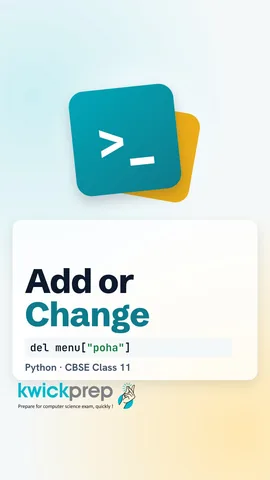 How does Python know whether to add or change?44 sec
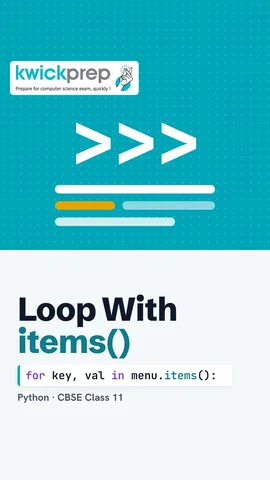 Why does my dictionary loop print only names?39 sec
 Which dictionary method avoids a KeyError?42 sec
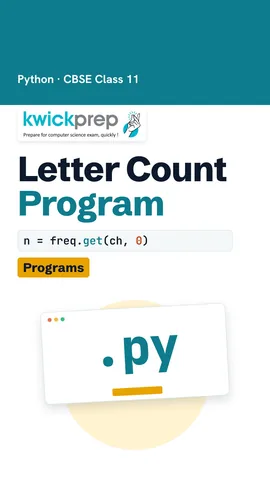 How does get() help count letters?40 sec
The full lesson, in text
Hello students, welcome to Kwickprep. When you look up a word in a dictionary, you search by the word, not by page number. Can Python store data the same way? Yes. Today we will learn dictionaries, how to add, change and delete items, all the important methods, and two exam programs.
Think of a canteen price board. A key is the word we search by, like samosa, and its value is the information stored with it, fifteen rupees. Together, a key and its value make a key value pair, joined by a colon. Tea is the key, and ten is its value. Vada pav is the key, and twenty is its value.
A dictionary keeps key value pairs inside curly brackets, with commas between the pairs. The single equals sign stores it in the variable menu. To read a value, write the key inside square brackets. Menu at tea gives ten. Empty curly brackets make an empty dictionary.
Dictionaries follow a few rules. Keys are unique, so if a key is repeated, only the last value is kept. Keys must be immutable, which means values that cannot change, like strings, numbers or a tuple. A list can change, so using a list as a key gives a type error. Values can be anything, and two keys may have the same value.
Adding and changing use the same line. If the key is new, like poha, a new pair is added at the end. If the key already exists, like tea, its value is replaced. So tea now costs twelve. A dictionary is mutable, which means it can change.
The del keyword deletes a pair by its key. After del menu at tea, only samosa is left. The in operator checks keys, not values, and tea is no longer a key, so it gives False. Deleting or reading a key that does not exist gives a key error.
Menu at idli would crash with a key error, because idli is not on the menu. The get method is safer. Pause and predict. What does get of idli print? It prints None, which means no value. You can also give a default value, so get of idli, zero prints zero.
Traversing means visiting every pair, one by one. A for loop over a dictionary gives the keys. So item is each key, and menu at item is its price. The second loop uses items, which gives each key and value together. It prints samosa costs fifteen, then tea costs ten.
Three methods let us look at parts of a dictionary. Keys gives all the keys. Values gives all the values. Items gives each pair as a tuple, which is a fixed group in round brackets. We wrap them in list, so they print neatly as lists.
The dict function also creates a dictionary, here with Riya and Aman. Len counts the pairs, two. Update copies pairs from another dictionary. It changes Aman to eighty and adds Neha. Clear removes every pair and leaves an empty dictionary.
Fromkeys makes a new dictionary from a list of keys, all with the same value. Here every student starts with zero attendance. Copy makes a separate dictionary with the same pairs. So changing backup does not change present.
Here is a shop's stock. Pop removes the pair with the given key and returns its value, five. Popitem removes the last added pair and returns it as a tuple, gum and two. Setdefault returns the value if the key exists, so ink gives eight. If the key is missing, setdefault adds it with the default value. So cap is added with three.
Watch this common exam trap. Max, min and sorted work on the keys, not the values. So max gives Riya, because R comes after A in the alphabet. Min gives Aman, and sorted gives the keys in alphabetical order, as a list. To find the highest marks, use max of marks dot values, which is ninety two.
Now two programs that exams ask. First, count how many times each letter appears in a word. Freq starts as an empty dictionary. For each letter, get gives the old count, or zero if the letter is new. We add one and store it back. So banana has one b, three a's and two n's.
Second, store employee names with their monthly salaries. Here emp is short for employees. The name is the key, and the salary is the value. We add three employees, one by one. Then the loop uses items to print each name with the salary. In a real program, the names and salaries could come from input.
Let us revise what we learned today. A dictionary stores key value pairs inside curly brackets. Assigning to a key adds or modifies a pair, and del deletes one. Get reads safely, and items gives keys with values for a loop. Pop, popitem, update, clear, copy, fromkeys and setdefault change or build dictionaries. And remember, max, min and sorted work on the keys. Try the frequency program with your own name.
Courses that teach this
| Course | Unit |
|---|---|
| CBSE Class 10 Artificial Intelligence (417) | Part B Unit 7: Advance Python |
| CBSE Class 11 Computer Science (083) | Computational Thinking and Programming - I |
| CBSE Class 11 Computer Science Essentials (083) | Computational Thinking and Programming - I |
| CBSE Class 11 Informatics Practices (065) | Introduction to Python |
| Programming All levels Python | Data Structures |
Voice-over in this lesson is AI-generated. The script is written and checked by Kajal Ma'am. Boards can revise a syllabus mid-year, so confirm anything you plan around against the official board circular. Keep your passwords, OTPs and ID numbers to yourself — we never ask for them. To reach Kajal Ma'am, use the WhatsApp button; sharing your number there is how we call you back.
Free to watch, no sign-up. Live classes with Kajal Ma'am are the paid course; these lessons stay free either way.