

KwickAcademy Artificial Intelligence · 9 min · free
Image Processing with OpenCV in Python
Plays from our YouTube channel. Watch on YouTube
OpenCV is a free computer vision library. Install opencv-python, import cv2, then load, resize, grey and find edges. Trap: img.shape gives (height, width), but cv2.resize takes (width, height).
Follows the syllabus of: CBSE Class 10 Artificial Intelligence (417), CBSE Class 12 Artificial Intelligence (843)
On screen in this lesson
What is OpenCV?
| Open Source Computer Vision Library |
| Free to use, works with Python and C++ |
| Reads, changes and saves images and videos |
| Used in face unlock, number plate readers, QR scanners |
An image is just numbers
| A pixel is one tiny dot of the image |
| Each value is from 0 (dark) to 255 (bright) |
| Colour pixel: 3 values, OpenCV order is Blue, Green, Red |
| Shape = (height, width, channels) |
The width and height trap
| Where | Order | Example |
|---|---|---|
| img.shape | height, width | (300, 400, 3) |
| cv2.resize | width, height | (400, 300) |
| Half size | fx=0.5, fy=0.5 | keeps the ratio |
Why convert to greyscale?
| Greyscale: only shades from black to white |
| One channel instead of three, so one third of the data |
| Faster processing |
| Edge and shape finding work on brightness |
Quick recap
| Install with pip install opencv-python, then import cv2 |
| imread loads, imshow displays, imwrite saves |
| shape is (height, width) but resize takes (width, height) |
| cvtColor with COLOR_BGR2GRAY makes a one-channel grey image |
| Grey, blur, then Canny gives a simple edge finder |
Quick answers
What does cv2.imread return for a wrong file name?
None, without any error.
In what order does OpenCV store colour?
Blue, Green, Red.
KwickClips from this lesson
Short clips, one idea each. Good for revision the night before.
 Why did my resized photo stretch?41 sec
 Why turn photos grey first?41 sec
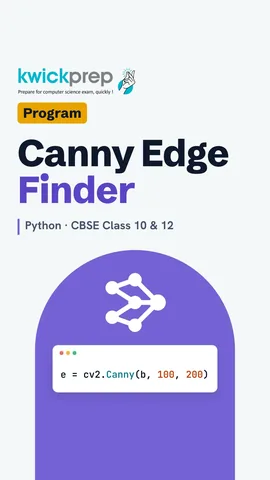 What does the 0 in imread do?40 sec
The full lesson, in text
Hello students, welcome to Kwickprep. Your phone camera finds faces and scans QR codes in a blink. How does a computer even look at a photo? Today we install OpenCV, load and resize an image, turn it grey, and build a small edge finder. We will also meet one silent trap that wastes hours.
Computer vision is the AI domain that helps computers understand pictures, so let us meet its most popular tool. OpenCV stands for Open Source Computer Vision Library. Open source means it is free, and anyone can use it or read its code. It works with Python and with C plus plus. It can read an image, change it, and save it again, and it can do the same for videos. It is used in face unlock, in number plate readers at toll plazas, and in QR code scanners.
Before any code, understand what the computer sees. A pixel is one tiny dot of the picture, and a photo has lakhs of them. Each value goes from zero, which is fully dark, to two hundred fifty five, which is fully bright. A colour pixel has three values, called channels, and OpenCV stores them in the order blue, green, red. So an image is a grid of numbers, and its shape is written as height, width and channels.
OpenCV does not come with Python, so we install it once. Pip is the tool that downloads Python packages. Type pip install opencv hyphen python in a command prompt. In a Jupyter notebook, put an exclamation mark before pip. Google Colab usually has OpenCV already installed, so you can skip this step there.
The package is called opencv python, but in code we import it with a short name, cv2. Write import cv2 at the top of your program. If the line runs quietly, OpenCV is ready. If it is not installed, Python stops with a ModuleNotFoundError. That error simply means, go back and install the package.
To load a picture, we use imread, which is short for image read. We give it the file name, here taj dot jpg. The picture comes back as a grid of numbers, stored in the variable img. Its shape gives three numbers, the height, the width and the channels. For a photo six hundred pixels high and eight hundred wide, h is six hundred, w is eight hundred and c is three.
Here is the silent trap. Pause and predict. What happens if the file name is wrong? Most students expect an error, but imread does not stop the program. It quietly gives back None, which means nothing. So this prints True. The error comes later, when you use img, so always check the file name and folder first.
To show the picture, imshow opens a window. The first value is the window title, and the second is the image. Wait key of zero keeps the window open until you press any key. Destroy all windows then closes it neatly. In Google Colab, imshow does not work, so Colab gives a helper called cv2 underscore imshow instead.
Big photos are slow to process, so we often make them smaller. To test without a photo, NumPy makes a black image, six hundred high and eight hundred wide. NumPy is the number library that OpenCV images are built on. Resize takes the image and the new size, four hundred by three hundred. Look at the output carefully. The shape is three hundred, four hundred, three.
This is why the output looked flipped. Shape always gives height first, then width. But resize wants width first, then height. If you mix them up, your photo gets stretched. Another way is to pass f x and f y as zero point five. That halves both sides and keeps the photo in shape.
Next, greyscale. Greyscale means the picture has only shades of grey, from black to white. Each pixel needs one value instead of three, so the data becomes one third. Less data means faster processing. Also, many tasks, like finding edges and shapes, only need brightness, not colour.
We convert with cvtColor, which is short for convert colour. The second value, colour B G R to gray, says from blue green red to grey. Notice the spelling gray with an a, because the code uses American spelling. The grey image shape prints three hundred, four hundred, with no third number, because only one channel is left.
Grey is not a simple average of the three channels. Here is one pure red pixel, stored in r. Remember the order is blue, green, red, so red is the last value. OpenCV takes about thirty percent of red, fifty nine percent of green and eleven percent of blue. Our eyes see green as brightest, which is why green counts most. Thirty percent of two hundred fifty five is about seventy six, so it prints seventy six.
Now let us join these steps into a simple image processing demo, an edge finder. First, we read the photo. Then we convert it to greyscale. Next, we blur it slightly, because blur removes small noisy dots. Then the Canny method finds the edges, where brightness changes sharply. Finally, we save the result as a new file.
Here is the full demo in six lines. We read taj dot jpg into im and convert it to grey, stored in g. Gaussian blur smooths g using a five by five square, and the result is b. Canny finds edges in b, using two limits, one hundred and two hundred. Imwrite saves the edges as a new file. Open edges dot jpg, and you will see white outlines of the Taj Mahal on a black background.
One more small demo, called thresholding. It turns a grey image into pure black and white. Here is a tiny grey image with four pixels. Every pixel above one hundred twenty seven becomes two hundred fifty five, which is white. Every other pixel becomes zero, which is black. So forty and ninety turn black, while two hundred and one hundred thirty turn white. Scanner apps use this to make pages look clean.
Let us revise. Install OpenCV with pip install opencv python, then write import cv2. Imread loads an image, imshow displays it, and imwrite saves it, and remember that a wrong file name gives None. Shape gives height first, but resize takes width first. CvtColor with B G R to gray makes a one channel grey image. And grey, then blur, then Canny, gives you a simple edge finder. Try it on a photo from your own phone.
Courses that teach this
| Course | Unit |
|---|---|
| CBSE Class 10 Artificial Intelligence (417) | Part B Unit 5: Computer Vision |
| CBSE Class 12 Artificial Intelligence (843) | Making Machines See |
Free to watch, no sign-up. The live classes are the paid course; these lessons stay free either way.
Disclaimer. KwickAcademy is free study material for general learning and revision. Parts of it, including the voice-over, are produced with the help of AI tools and may contain errors; if you spot one, please tell us and we will correct it. Syllabus, marks and exam details follow the latest official board publications available to us, and boards can change them at any time, so always confirm against your board's official website and your school. Using this material does not guarantee any marks or result. Board names and trademarks belong to their owners; Kwickprep is not affiliated with or endorsed by any examination board. We never ask for passwords, OTPs or ID numbers. Your progress is saved only in this browser. Full disclaimer · Privacy