

KwickAcademy Python · 6 min · free
Introduction to NumPy Arrays
Learn NumPy arrays in Python: create arrays from lists, read shape, ndim, size and dtype, and do maths on every value without a loop.
On screen in this lesson
What is NumPy?
| A library: ready-made code you add to Python |
| NumPy means Numerical Python |
| Install once: pip install numpy |
| Use it: import numpy as np |
| Used in data science and AI |
Why NumPy is fast
| Array: a grid of values of the same type |
| Values sit side by side in one block of memory |
| Maths runs on all values at once |
| Core work is done in fast compiled code |
Array attributes
| Attribute | Tells you | For m above |
|---|---|---|
| shape | rows, columns | (2, 2) |
| ndim | dimensions | 2 |
| size | total values | 4 |
| dtype | type of values | int64 |
Arrays vs lists
| Feature | List | NumPy array |
|---|---|---|
| Value types | can be mixed | all the same |
| + sign | joins lists | adds values |
| * 2 | repeats list | doubles values |
| Maths on many | needs a loop | one line |
| Speed, big data | slower | much faster |
| Needs import | no, built in | yes, numpy |
Quick recap
| NumPy: a library for fast number work |
| np.array(list) makes an array |
| shape, ndim, size and dtype describe it |
| Maths works on every value at once |
| Lists join and repeat; arrays add and multiply |
Quick answers
What is a NumPy array?
A grid of values that all have the same type, stored side by side, so NumPy can do maths on all values at once.
What does list * 2 do compared with array * 2?
A list times two repeats the list. An array times two doubles every value.
KwickClips from this lesson
Short clips, one idea each. Good for revision the night before.
![Python code creating a NumPy array of marks and adding 5, with output [65 77 50].](/images/learn/clips/PY29-R1.webp) Why is NumPy fast?39 sec
Why is NumPy fast?39 sec![Python code converting a marks list to a NumPy array; output shows [88 75 92] without commas.](/images/learn/clips/PY29-R2.webp) How do you create a NumPy array from a list?40 sec
How do you create a NumPy array from a list?40 sec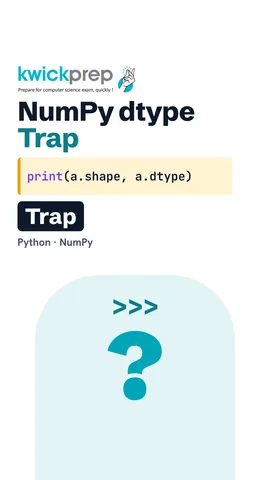 Why does 1 print as 1. in np.array([1, 2.5, 3])?42 sec
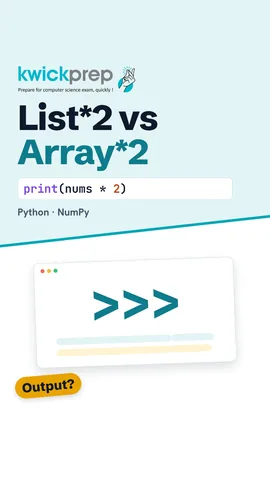 What does [1, 2, 3] * 2 give?36 sec
The full lesson, in text
Hello students, welcome to Kwickprep. Your school wants to add five grace marks for one thousand students. With a list, you need a loop. With NumPy, it is one short line. Today we will learn what NumPy arrays are, how to make them, and how they differ from lists.
First, a new term. A library is a collection of ready-made code that you add to Python. NumPy stands for numerical Python, and it is a library for working with numbers. You install it once with the command pip install numpy. In your program, you write import numpy as n p, so n p becomes its short name. Data science and AI tools use NumPy underneath.
The main tool in NumPy is the array. An array is a grid of values, and all of them have the same type. The values sit side by side in one block of memory. So NumPy can do maths on all values at once, without a Python loop. Its core is written in the C language, which runs much faster than a Python loop.
We create an array by giving a list to n p dot array. Here the list of marks becomes an array called arr. When we print it, there are no commas between the values. That is how you can spot an array in an output question. Its type is n d array, which means an array with any number of dimensions.
A list of lists makes a two dimensional array, like a table with rows and columns. Here each row is one student, and each column is one subject. The shape attribute gives the rows and columns, so two rows and two columns. The n dim attribute gives the number of dimensions, which is two.
An attribute is a fact stored with the array, written after a dot with no brackets. Shape gives the size in each direction, here two by two. N dim gives the number of dimensions. Size gives the total number of values, two into two, so four. D type gives the data type of the values, here int sixty four, a whole number type.
Every value in an array has the same d type. Array a has only whole numbers, so its d type is int sixty four. Older NumPy on Windows may show int thirty two instead. Pause and predict. What happens to array b, which mixes whole numbers with two point five? NumPy turns all of them into floats, which are decimal numbers. So one prints as one point, and three as three point.
NumPy can also build arrays without a list. N p dot zeros of three makes three zeros, as floats. N p dot ones makes ones, and d type equals int makes them whole numbers. N p dot arange works like range. It starts at one and stops before six.
Now the real power. Canteen prices are fifteen for samosa, ten for tea and thirty for a sandwich. Price plus five adds five to every price, with no loop. The star sign means multiply. Price star quantity multiplies matching items, value by value. The sum method adds them up, so the full bill is ninety rupees. Careful, arrays must match in length. Adding an array of three values to an array of two values gives a value error.
Arrays have ready methods for common maths. Mean gives the average, and max gives the highest value. The greater than sign asks, is the value bigger? Marks greater than eighty gives True or False for each value. Putting that inside square brackets keeps only the True values, so we get eighty eight and ninety two.
This output question catches many students. The same signs mean different things for lists and arrays. Plus on two lists joins them into one longer list. Plus on two arrays adds matching values. Star two on a list repeats the list twice. Star two on an array doubles every value.
Let us compare lists and arrays. A list can mix types, like names and numbers, but an array keeps one type. Plus joins lists, but adds array values. Star two repeats a list, but doubles array values. Maths on many values needs a loop for a list, and one line for an array. For big data, arrays are much faster. And lists are built into Python, while arrays need the NumPy library.
Let us revise what we learned today. NumPy is a library for fast work with numbers. N p dot array turns a list into an array. Shape, n dim, size and d type describe an array. Maths on an array works on every value at once. Lists join and repeat, but arrays add and multiply value by value. Try making an array of your own test marks and find the average.
Courses that teach this
| Course | Unit |
|---|---|
| CBSE Class 10 Artificial Intelligence (417) | Part B Unit 7: Advance Python |
| CBSE Class 11 Informatics Practices (065) | Introduction to Python |
| CBSE Class 11 Artificial Intelligence (843) | Python Programming |
| CBSE Class 12 Artificial Intelligence (843) | Python Programming - II (evaluated in practicals) |
| Programming All levels Python | Working with Data (Intro Libraries) |
Free to watch, no sign-up. The live classes are the paid course; these lessons stay free either way.
Disclaimer. KwickAcademy is free study material for general learning and revision. Parts of it, including the voice-over, are produced with the help of AI tools and may contain errors; if you spot one, please tell us and we will correct it. Syllabus, marks and exam details follow the latest official board publications available to us, and boards can change them at any time, so always confirm against your board's official website and your school. Using this material does not guarantee any marks or result. Board names and trademarks belong to their owners; Kwickprep is not affiliated with or endorsed by any examination board. We never ask for passwords, OTPs or ID numbers. Your progress is saved only in this browser. Full disclaimer · Privacy