

KwickAcademy Computer Systems · 7 min · free
Programming Languages and Language Translators
Plays from our YouTube channel. Watch on YouTube
Machine language is binary, assembly uses mnemonics and high level languages look like English, so translators turn them into machine code.
Follows the syllabus of: CBSE Class 11 Computer Science (083), CBSE Class 11 Computer Science Essentials (083), ISC Class 11 Computer Science (868), Cambridge IGCSE Grade 9 Computer Science (0478)
On screen in this lesson
What is a programming language?
| A set of words and rules to write instructions |
| Low level: close to the hardware |
| High level: close to human language |
Three levels compared
| Point | Low level | High level |
|---|---|---|
| Examples | Machine, assembly | Python, Java |
| Easy to read? | No | Yes |
| Runs on any CPU? | No | Yes, portable |
| Needs translator? | Only assembly | Always |
| Control of hardware | Direct | Less direct |
Language translators
| Source code: the program we write |
| Object code: the machine code the CPU runs |
| A translator converts source into machine code |
| Three translators: assembler, compiler, interpreter |
Assembler
| Translates assembly language into machine code |
| One mnemonic becomes one machine instruction |
| Example: ADD AL, 3 becomes binary |
| Output is machine dependent |
Compiler versus interpreter
| Point | Compiler | Interpreter |
|---|---|---|
| Translates | Whole program | Line by line |
| Errors shown | All at the end | One, then stops |
| Executable file | Yes | No |
| Running speed | Faster | Slower |
| Examples | C, C++ | Python, JavaScript |
What an IDE provides
| Code editor with colours and auto-complete |
| Translator and run button built in |
| Error diagnostics: errors shown and underlined |
| Debugger: run step by step, watch variables |
| Examples: IDLE, VS Code, Thonny, Eclipse |
Quick answers
Which translator stops at the first error?
The interpreter.
Which one creates an executable file?
The compiler.
KwickClips from this lesson
Short clips, one idea each. Good for revision the night before.
 Which language runs directly?39 sec
 Which is usually faster to run?42 sec
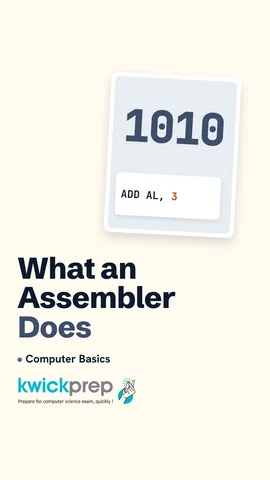 What does an assembler translate?38 sec
 What does a debugger let you do?38 sec
The full lesson, in text
Hello students, welcome to Kwickprep. A computer understands only zeros and ones, yet we write programs in words like print. So who translates our words for the computer? Today we will learn the three levels of programming languages, the compiler, the interpreter and the assembler, and what an IDE gives a programmer.
Let us begin with a definition. A programming language is a set of words and rules used to write instructions for a computer. Low level languages are close to the hardware, so the computer understands them easily but people do not. High level languages are close to human language, so people understand them easily, and they need translating.
The lowest level is machine language, written only in zeros and ones, called binary. This is the only language the CPU understands directly, so it runs the fastest and needs no translator. But it is very hard for people to read, write or correct. It is also machine dependent, which means code for one type of processor does not work on another type. The lines on screen only show the idea of adding five and three.
The next level is assembly language. It uses short words called mnemonics, like MOV for move and ADD for add, instead of binary. Here, move five into the register AL, then add three to it, so AL holds eight. It is easier than binary, but still machine dependent and still needs a translator.
The top level is high level language, like Python, Java and C plus plus. The same task now looks almost like English and maths. We store five in a and three in b, and print a plus b, which gives eight. It is easy to learn, easy to find mistakes in, and it is portable, which means it runs on many kinds of computers. But the CPU cannot run it directly, so it must be translated.
Board exams often ask you to compare the levels. Low level means machine and assembly language, and high level means languages like Python and Java. Low level code is hard to read, while high level code is easy. Low level code is tied to one kind of CPU, while high level code is portable. Only machine code needs no translator, while every high level program needs one. Low level code gives direct control of hardware, so it is used for drivers and embedded devices.
So we need translators, and first two new terms. Source code is the program written by the programmer. Object code, or machine code, is the translated binary that the CPU can run. A language translator is system software that converts source code into machine code. There are three translators: the assembler, the compiler and the interpreter.
Let us meet the first translator. An assembler translates assembly language into machine code. Each mnemonic usually becomes exactly one machine instruction. For example, add AL comma three becomes one line of binary. The machine code it makes works only for that family of processors.
Now watch a compiler work. It reads the whole source code in one go. Then it asks, are there any errors? If yes, it lists all the errors together at the end, and nothing runs. If no, it creates an executable file, like a dot exe file on Windows. You can run this file again and again without translating. So the user does not even need the compiler, and the source code stays private.
Now watch an interpreter work. It takes just one line and translates it. Then it asks, is there an error in this line? If yes, it stops right there and shows that one error. If no, it runs that line immediately. Then it moves to the next line and repeats. No executable file is made, so the interpreter is needed every time the program runs.
This comparison is a favourite exam question. A compiler translates the whole program, while an interpreter goes line by line. A compiler shows all errors after reading everything, but an interpreter stops at the first error. A compiler makes an executable file, while an interpreter does not. So compiled programs run faster, and interpreted programs are slower but easier to debug. C and C plus plus use compilers, while Python and JavaScript mainly use interpreters.
Pause and predict. This program has a mistake in line two, a missing closing bracket. With an interpreter, would Hello print first? Careful, because Python first checks the whole file for syntax errors, so nothing prints and you get a syntax error. But if line two had an error that appears only while running, like dividing by zero, Hello would print first.
Finally, an IDE, or integrated development environment. It is one program that brings together all the tools a programmer needs. It has a code editor with colour highlighting, auto complete and auto indent. It has the translator built in, so one run button compiles or interprets the code. It shows error diagnostics, underlining mistakes and naming the error. It has a debugger, which runs code step by step with breakpoints so you can watch variables change. IDLE, Thonny, VS Code and Eclipse are common IDEs.
Let us revise what we learned today. Machine language is binary, and assembly uses mnemonics. High level languages are English like and portable. An assembler turns assembly into machine code. A compiler translates the whole program, and an interpreter goes line by line. An IDE gives an editor, a translator, error messages and a debugger. Open IDLE or Thonny today and find each of these tools.
Courses that teach this
| Course | Unit |
|---|---|
| CBSE Class 11 Computer Science (083) | Computer Systems and Organisation |
| CBSE Class 11 Computer Science Essentials (083) | Computer Systems and Organisation |
| ISC Class 11 Computer Science (868) | Computer Systems and Number Representation |
| Cambridge IGCSE Grade 9 Computer Science (0478) | 4. Software |
| Cambridge IGCSE Grade 10 Computer Science (0478) | 4. Software |
| Edexcel GCSE GCSE Computer Science (1CP2) | Topic 3: Computers |
| NIOS Secondary Data Entry Operations (229) | 1. Basics of Computer |
Free to watch, no sign-up. The live classes are the paid course; these lessons stay free either way.
Disclaimer. KwickAcademy is free study material for general learning and revision. Parts of it, including the voice-over, are produced with the help of AI tools and may contain errors; if you spot one, please tell us and we will correct it. Syllabus, marks and exam details follow the latest official board publications available to us, and boards can change them at any time, so always confirm against your board's official website and your school. Using this material does not guarantee any marks or result. Board names and trademarks belong to their owners; Kwickprep is not affiliated with or endorsed by any examination board. We never ask for passwords, OTPs or ID numbers. Your progress is saved only in this browser. Full disclaimer · Privacy