

KwickAcademy Python · 8 min · free
Variables, Assignment and Data Types in Python
Learn Python variables, multiple assignment, one-line swapping, six basic data types, mutable vs immutable, type() and id(). A variable is a name that points to a value stored in memory as an object.
Follows the syllabus of: CBSE Class 11 Computer Science (083)
On screen in this lesson
What is a variable?
| A value is stored in memory as an object |
| A variable is a name that points to it |
| = is the assignment operator: it binds a name |
| Read marks = 45 as: marks refers to 45 |
Memory boxes: one name
| Code | Name | Box in memory |
|---|---|---|
| marks = 45 | marks -> | [ 45 ] |
| marks = 50 | marks -> | [ 50 ] |
| (old box) | no name | [ 45 ] cleared |
Memory boxes: two names
| Code | Names | Box in memory |
|---|---|---|
| price = 100 | price -> | [ 100 ] |
| offer = price | both -> | same [ 100 ] |
| offer = 80 | offer -> | new [ 80 ] |
Rules for variables
| Assign before use, or you get NameError |
| Names: letters, digits, _; no digit first |
| Same name can later hold another type |
| This is called dynamic typing |
Six basic data types
| Type | Holds | Example |
|---|---|---|
| int | whole numbers | 72, -5 |
| float | decimal numbers | 99.5 |
| complex | real + imaginary | 3 + 4j |
| bool | True or False | True |
| str | text in quotes | "Surat" |
| NoneType | no value | None |
Mutable vs immutable
| Kind | Meaning | Types |
|---|---|---|
| Immutable | cannot change | int, float, bool |
| Immutable | cannot change | str, complex, tuple |
| Mutable | can change | list, dict, set |
Quick answers
How do you swap two values in one line?
tea, coffee = coffee, tea. Python reads the right side first.
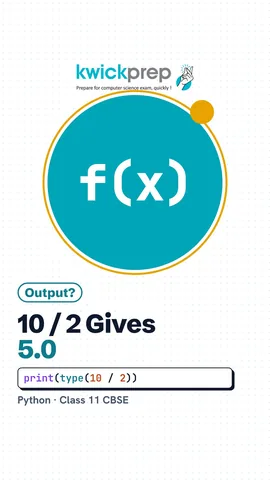
What type is 10 / 2?
float. A single slash always gives a float, 5.0.
KwickClips from this lesson
Short clips, one idea each. Good for revision the night before.
 Is a variable a box?43 sec
 Do you need a third variable to swap?41 sec
 Is "72" a number?44 sec
 Is a list mutable?44 sec
 What type is 10 / 2?42 sec
The full lesson, in text
Hello students, welcome to Kwickprep. Can you swap two values in Python in just one line? Yes, and we will do it today. We will learn variables, assignment, swapping, the six basic data types, mutable and immutable values, and the type function.
First, what exactly is a variable? When Python stores a value in the computer's memory, it keeps it as an object, which is simply a box holding the value. A variable is a name tag that points to that box. The single equals sign is the assignment operator, and it ties the name to the value. So read marks equals forty five as, the name marks refers to forty five.
Let us draw it as boxes in memory. After marks equals forty five, the tag marks points to a box holding forty five. After marks equals fifty, Python makes a new box holding fifty, and moves the tag to it. The old box of forty five has no name now, so Python clears it away automatically.
Now two names, for a shop price and an offer price. After price equals one hundred, the name price points to a box of one hundred. After offer equals price, the name offer points to the very same box, not a copy. After offer equals eighty, offer moves to a new box, and price still points to one hundred. So changing offer did not change price.
Here is the same idea as a program. Price gets one hundred, then offer points to the same value. Then offer is given eighty. When we print both, price is still one hundred and offer is eighty. Exams often ask you to predict this output, so trace the names line by line.
Keep four rules in mind. A variable must be given a value before you use it, or Python gives a name error. Names may use letters, digits and underscore, but cannot start with a digit. The same name can later point to a different kind of value, like text after a number. This freedom is called dynamic typing, which means Python decides the kind of value while the program runs.
Python can assign many variables in one line, called multiple assignment. In the first line, the values are matched in order, so Riya gets forty five, Aman seventy two and Neha sixty. The number of names and values must match, or Python gives a value error. The second line gives one value to many names. At the start of a cricket match, runs and wickets are both zero.
Now the one line swap from our opening question. Tea holds ten and coffee holds twenty five. In the second line, Python first reads the right side, coffee then tea, which is twenty five and ten. Only then does it assign them to tea and coffee. So the values are swapped, and it prints twenty five, then ten.
Many other languages need a third variable to swap, and some exams ask for this method too. The variable temp, short for temporary, first saves the value of tea. Then tea takes the value of coffee. Then coffee takes the saved value from temp. The result is the same, twenty five and ten.
A data type tells Python what kind of value an object holds. The int type holds whole numbers, positive or negative. The float type holds numbers with a decimal point. The complex type holds a real part and an imaginary part, marked by the letter j. The bool type has only two values, True and False. The str type, short for string, holds text inside quotes. And None, of type None Type, means no value yet.
To inspect a value, use the type function. Put any value or variable inside its brackets, and it tells you the data type. Type of seventy two is class int. Type of ninety nine point five is class float. Type of Surat is class str. And type of None is class None Type.
The type function works on variables too. Passed holds True, so its type is bool. The variable num holds three plus four j, so its type is complex. Now look at pin. It looks like a number, but it is inside quotes, so its type is str. A pin code is text, since we never do maths with it.
Pause and predict. Ten divided by two is exactly five, so is the type int? No! The single slash is normal division, and it always gives a float, so the answer is five point zero. The double slash is floor division, which keeps only the whole number part. With two whole numbers, it gives an int.
Objects come in two kinds. Immutable means the object in memory can never be changed, and int, float and bool are immutable. Str, complex and tuple are also immutable. Mutable means the object can be changed in place, like a list, a dictionary or a set. A list is a collection of values in square brackets, and we study it in a later lesson.
The id function gives the identity number of an object, like its address in memory. We save the id of runs in old. Then runs becomes runs plus four, which is fourteen. Double equals compares two values and gives True or False. The ids are not equal, so it prints False. The number ten was not changed; runs now points to a new object.
Now a mutable list. The school bag holds pen and book, and we save its id. The append method adds box to the end of the same list. The list now has three items. This time the ids are equal, so it prints True. The same object changed in place, so a list is mutable.
Some exams ask you to write variables in pseudocode. There, you declare each variable with its data type before using it. Integer, real, string, char and boolean are the usual type names. The left arrow means assign. Python does not need a declare line, because it finds the type by itself.
Let us revise what we learned today. A variable is a name bound to an object in memory. You can assign many variables in one line, and swap two values in one line. The basic data types are int, float, complex, bool, str and None Type. Immutable objects never change, but mutable objects like lists can change in place. The type function shows the data type, and the id function shows an object's identity.
Courses that teach this
| Course | Unit |
|---|---|
| CBSE Class 10 Computer Applications (165) | HTML |
| CBSE Class 9 Information Technology (402) | Electronic Spreadsheet |
| CBSE Class 9 Artificial Intelligence (417) | Part B - Unit 5: Introduction to Python |
| CBSE Class 10 Artificial Intelligence (417) | Part B Unit 7: Advance Python |
| CBSE Class 11 Computer Science (083) | Computational Thinking and Programming - I |
| CBSE Class 11 Computer Science Essentials (083) | Computational Thinking and Programming - I |
| CBSE Class 11 Informatics Practices (065) | Introduction to Python |
| CBSE Class 11 Artificial Intelligence (843) | Python Programming |
| ICSE Class 9 Computer Applications | Values and Data Types |
| ICSE Class 10 Computer Applications | Class as the Basis of All Computation |
| GSEB Std 11 Computer Studies | Introduction to Layers |
| Cambridge IGCSE Grade 9 Computer Science (0478) | 8. Programming |
Free to watch, no sign-up. The live classes are the paid course; these lessons stay free either way.
Disclaimer. KwickAcademy is free study material for general learning and revision. Parts of it, including the voice-over, are produced with the help of AI tools and may contain errors; if you spot one, please tell us and we will correct it. Syllabus, marks and exam details follow the latest official board publications available to us, and boards can change them at any time, so always confirm against your board's official website and your school. Using this material does not guarantee any marks or result. Board names and trademarks belong to their owners; Kwickprep is not affiliated with or endorsed by any examination board. We never ask for passwords, OTPs or ID numbers. Your progress is saved only in this browser. Full disclaimer · Privacy