

KwickAcademy Python · 8 min · free
Errors in Python: Syntax, Logical and Run-time Errors
Learn the three kinds of Python errors: syntax, run-time and logical, how to read a traceback, and how to debug. An error, or bug, is a mistake in a program; debugging means finding and fixing it.
Follows the syllabus of: CBSE Class 11 Computer Science (083)
On screen in this lesson
Two new words
| Error or bug: a mistake in a program |
| Debugging: finding and fixing the bug |
| Three kinds: syntax, run-time and logical |
Three kinds of error
| Kind | When it shows | Example |
|---|---|---|
| Syntax | before running | missing colon |
| Run-time | while running | divide by zero |
| Logical | never shown | wrong formula |
Common run-time errors
| Error name | Cause | Example |
|---|---|---|
| ZeroDivisionError | divide by zero | 5 / 0 |
| TypeError | mixing types | "5" + 3 |
| NameError | unknown name | print(totl) |
| ValueError | wrong value | int("abc") |
Why logical errors are hardest
| No error message and no line number |
| The program runs and looks fine |
| Only a wrong answer gives it away |
| You must already know the right answer |
Reading a traceback
| Line | It tells you |
|---|---|
| Traceback | an error happened |
| File, line 3 | where it broke |
| The code line | the exact code |
| Last line | error name, reason |
Dry run with a trace table
| Line | Variable | Value |
|---|---|---|
| 1 | price | 120 |
| 2 | discount | 10 |
| 3 | cut | 120.0 |
| 5 | final | 0.0 |
Quick answers
Why does (80 + 90 / 2) give 125.0?
Python divides before it adds. Use brackets: (maths + science) / 2.
Which line of a traceback should you read first?
The last line, which gives the error name and reason.
KwickClips from this lesson
Short clips, one idea each. Good for revision the night before.
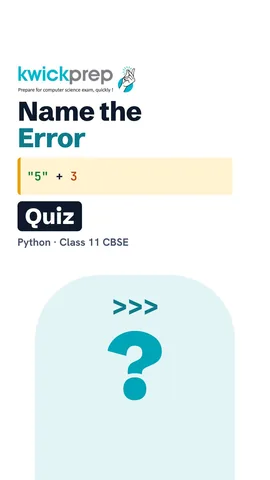 Which error lets nothing run?41 sec
 Which traceback line do you read first?40 sec
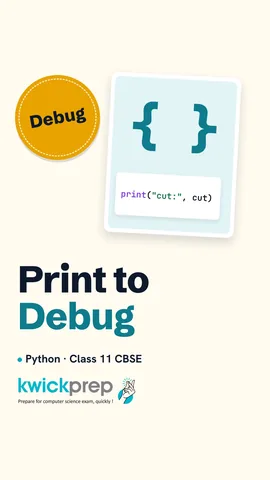 How do you find a bad line?39 sec
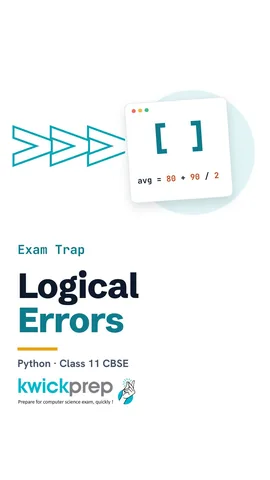 Why no error message?40 sec
The full lesson, in text
Hello students, welcome to Kwickprep. Your program runs and prints an answer. But the answer is wrong, and Python shows no error at all. What kind of mistake is that? Today we will learn the three kinds of error, how to read an error message, and how to find hidden mistakes.
First, two new words. An error, also called a bug, is a mistake in a program. Debugging means finding that mistake and fixing it. Python programs have three kinds of error: syntax errors, run-time errors and logical errors.
Here are the three kinds side by side. A syntax error is caught before the program runs, like a missing colon. A run-time error stops the program while it is running, like dividing by zero. A logical error is never shown by Python, because the program runs but uses a wrong formula.
Syntax means the grammar rules of Python. A syntax error breaks these rules, so Python does not run even one line. One equals sign stores a value, so marks stores forty five. The next line asks, is marks greater than or equal to thirty three? But the line has no colon at the end. Python stops and reports a syntax error, expected colon. A missing bracket or quote is also a syntax error. A missing indent gives a special syntax error, called an indentation error.
A run-time error happens while the program is running. The grammar is correct, so Python starts. A canteen bill of three hundred rupees is split among friends. The slash sign means divide. By mistake, the number of friends is zero. Nobody can divide by zero, so Python stops at line three. This is a zero division error.
Learn these four error names for exams. A zero division error comes from dividing by zero. A type error comes from mixing types, like adding the text five to the number three. A name error means Python does not know a name, often because of a spelling mistake. A value error means the value is wrong, like turning the word abc into a whole number.
Now the sneakiest kind, the logical error. We want the average of eighty and ninety, which is eighty five. The plus sign adds, and the slash divides. The program runs with no message, but it prints one hundred twenty five point zero. Why? Python divides before it adds. So only science is divided by two, and then eighty is added.
The fix is a pair of brackets. Python always works out brackets first. So now it adds the two marks, and then divides by two. It prints eighty five point zero, the correct answer. Python never complained before, because Python cannot know what you meant.
Logical errors are the hardest to find, for four reasons. Python shows no error message, so there is no line number to guide you. The program runs normally and looks fine. The only clue is a wrong answer. And you notice it only if you already know what the right answer should be.
When a run-time error happens, Python prints a message called a traceback. A traceback traces back the steps that led to the error. This is the full message from our canteen bill program. It looks scary, but it is really very helpful. Let us read it line by line.
Each line of the traceback tells you something. The first line says an error happened, and the latest step is at the bottom. The next line gives the file name and the line number, here line three. Then Python shows the exact code on that line. The last line gives the error name and the reason, division by zero. So read the last line first, then go to the line number. Newer Python versions may also draw small marks under the mistake.
A school bag costs one hundred twenty rupees, with a ten percent discount. The final price should be one hundred eight. The star sign means multiply, and the minus sign subtracts. But the program prints zero point zero. So we add an extra print line to see the value of cut in the middle. It shows one hundred twenty, but ten percent of one hundred twenty is twelve. Now we know line three is wrong.
Another way is a dry run, which means running the program by hand on paper. We write each variable and its value in a trace table. Line one sets price to one hundred twenty. Line two sets discount to ten. At line three, cut becomes one hundred twenty, but we expected twelve. So line five gives zero, and the bug is on line three. We must divide by one hundred, not by ten.
Pause and predict. The pass mark is thirty three, and this student scored exactly thirty three. The sign here is only greater than, with no equals. What prints? Fail. The student should pass, so this is a logical error. Greater than leaves out thirty three itself. Use greater than or equal to. Always test the edge value, the number exactly on the border.
Exams often show a line of code and ask you to name the error. Print of Hi with no closing bracket breaks the grammar, so it is a syntax error. Prnt, spelt without the i, is a name Python does not know, so it is a name error. Int of twelve a fails because twelve a is not a whole number, so it is a value error. Ten divided by zero gives a zero division error.
Follow these steps whenever a program goes wrong. Read the last line of the error message first. Then go to the line number it shows. Print values in the middle of the program to check them. Dry run the program with a trace table on paper. And test edge values, like zero, or a mark exactly on the pass line.
Let us revise what we learned today. A syntax error breaks Python's grammar, so nothing runs. A run-time error stops the program while it is running. A logical error runs but gives a wrong answer, so it is the hardest to find. In a traceback, read the last line, then go to the line number. And debug by printing values and by dry running with a trace table.
Courses that teach this
| Course | Unit |
|---|---|
| CBSE Class 11 Computer Science (083) | Computational Thinking and Programming - I |
| CBSE Class 11 Computer Science Essentials (083) | Computational Thinking and Programming - I |
| CBSE Class 11 Informatics Practices (065) | Introduction to Python |
| Programming All levels Python | Errors and Exception Handling |
| Programming All levels Java | Projects and Exam Practice |
Free to watch, no sign-up. The live classes are the paid course; these lessons stay free either way.
Disclaimer. KwickAcademy is free study material for general learning and revision. Parts of it, including the voice-over, are produced with the help of AI tools and may contain errors; if you spot one, please tell us and we will correct it. Syllabus, marks and exam details follow the latest official board publications available to us, and boards can change them at any time, so always confirm against your board's official website and your school. Using this material does not guarantee any marks or result. Board names and trademarks belong to their owners; Kwickprep is not affiliated with or endorsed by any examination board. We never ask for passwords, OTPs or ID numbers. Your progress is saved only in this browser. Full disclaimer · Privacy