

KwickAcademy Python · 8 min · free
Importing and Exporting CSV with Pandas
Learn to read a CSV file into a DataFrame with read_csv and save one back with to_csv, handling headers, the index and a small end-to-end project. A CSV file is plain text where each line is a row and commas separate the values.
Follows the syllabus of: CBSE Class 12 Informatics Practices (065), CBSE Class 12 Artificial Intelligence (843)
On screen in this lesson
What is a CSV file?
| CSV means Comma Separated Values |
| A plain text file: one row per line |
| Values in a row are separated by commas |
| The first line is usually the header (column names) |
| Opens in Excel, Google Sheets or Notepad |
Where is the file?
| Same folder as your program: just the file name |
| Other folder: give the full path |
| Use forward slashes: "C:/Data/marks.csv" |
| Wrong name or path gives FileNotFoundError |
Headers and index: summary
| Function | Option | Meaning |
|---|---|---|
| read_csv | header=None | no header line |
| read_csv | names=[...] | your column names |
| read_csv | index_col=0 | column as index |
| to_csv | index=False | skip the index |
| to_csv | header=False | skip column names |
| both | sep=";" | other separator |
Quick recap
| CSV: plain text, commas between values |
| pd.read_csv("file.csv") gives a DataFrame |
| df.to_csv("file.csv", index=False) saves it |
| No header line: header=None with names=[...] |
| index_col=0 reads a column as the row labels |
Quick answers
Why does my saved file read back with a column called Unnamed: 0?
to_csv also wrote the index. Save with index=False.
What does header=None do?
It tells Pandas the file has no header line, so line one stays as data.
KwickClips from this lesson
Short clips, one idea each. Good for revision the night before.
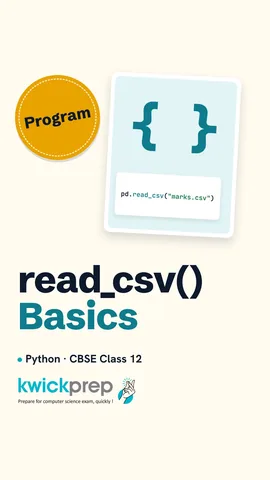 What does read_csv return?44 sec
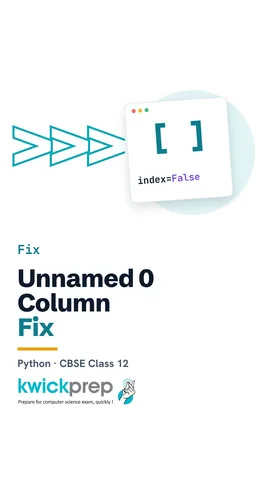 Where does the Unnamed: 0 column come from?43 sec
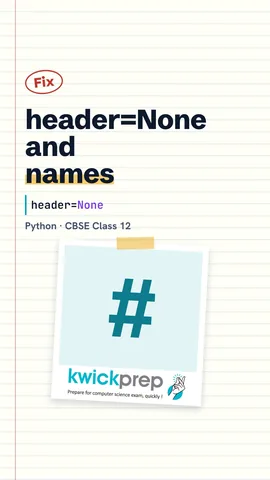 What happens without header=None on a headerless file?43 sec
 How do you add a Total column?43 sec
The full lesson, in text
Hello students, welcome to Kwickprep. Your school marks sheet is saved in Excel. Can Python read it and write a new one? Yes, through C S V files. Today we will read a C S V file into a DataFrame and save a DataFrame as a C S V file. We will also handle headers and the index, and finish with a small end to end project.
First, what is a C S V file? C S V stands for comma separated values. It is a plain text file, where each line is one row of a table. Inside a row, the values are separated by commas. The first line usually holds the column names, and we call it the header. You can open a C S V file in Excel, Google Sheets or even Notepad, and save a spreadsheet as C S V too.
Here is a small file called marks dot C S V, opened in Notepad. The first line is the header, with three column names: Name, Eng and Sci. Each line after that is one student. Om scored eighty eight in English and ninety one in Science. There are no spaces around the commas.
The first two lines only create a small marks file for this demo. The variable t holds the text, and backslash n means a new line. In your practical, the file will already exist. The real work is one line. P D dot read C S V reads the file and returns a DataFrame, which we store in df. Pandas used the first line as column names, and added the index zero and one by itself. Om and Anu are our two students.
Pandas must be able to find the file. If the file is in the same folder as your program, the file name is enough. If it is in another folder, give the full path. On Windows, write the path with forward slashes, like C colon slash Data slash marks dot C S V. If the name or the path is wrong, Python gives a file not found error.
Now, headers. Some files have no header line, and start directly with data. By default, read C S V would wrongly use Riya and eighty eight as column names. So we write header equals None. Now Pandas keeps every line as data, and names the columns zero and one.
Numbers like zero and one are not helpful column names. So we also pass names, a list of our own column names. Now the columns are called Name and Mark. Remember this pair: header equals None, together with names.
Next, the index. Index col equals zero tells Pandas to use column zero, the Name column, as the row labels. Now the rows are labelled Riya and Aman, instead of zero and one. The word Name printed on its own line is just the name of the index. You can also write index col equals Name.
Now the opposite direction. First we build a DataFrame from a dictionary. Then df dot to C S V saves it as a file. The last line just opens the file and prints what is inside. Look closely. The header starts with an empty value, and every row starts with zero or one. By default, to C S V also writes the index as the first column.
Pause and predict. We save this DataFrame with to C S V, and read it back. What is the name of the first column? It is Unnamed colon zero. The saved index came back as an extra column with no name. This is a very common mistake in practical files.
The fix is index equals False. Now the file has only the real columns, exactly like the file we started with. When the index is just zero, one, two, save with index equals False. When the index holds real labels, like student names, keep it, and read it back with index col.
Here are the options in one table. With read C S V, header equals None means the file has no header line. Names gives your own column names. Index col picks a column to use as the row labels. With to C S V, index equals False does not write the index. Header equals False does not write the column names. And sep changes the separator, for example a semicolon instead of a comma.
Now a small end to end project, drawn as a flowchart. First, we read the marks file into a DataFrame. Next, we add a Total column. Then we keep only the students whose total is one hundred fifty or more. Finally, we save these toppers to a new C S V file.
Step one. Again, the first two lines only make the demo file. We read marks dot C S V into df. Then we create a new column, Total, by adding the Eng column and the Sci column. Pandas adds row by row, with no loop. Om gets one hundred seventy nine, and Anu gets one hundred thirty nine.
Step two. The condition, Total greater than or equal to one hundred fifty, keeps only Om. We save that result to top dot C S V, then read it back. Pause and predict. Why is there a column called Unnamed colon zero? We forgot index equals False, so the index was saved as a column. Add index equals False, and the file becomes clean.
Let us revise what we learned today. A C S V file is plain text, with commas between the values. P D dot read C S V reads a file and gives a DataFrame. Df dot to C S V saves it, and index equals False keeps out the extra index column. For a file with no header line, use header equals None with names. And index col makes a column the row labels. Try it with your own marks sheet, saved from Excel as C S V.
Courses that teach this
| Course | Unit |
|---|---|
| CBSE Class 12 Informatics Practices (065) | Data Handling using Pandas -I |
| CBSE Class 12 Artificial Intelligence (843) | Python Programming - II (evaluated in practicals) |
Voice-over in this lesson is AI-generated. The script is written and checked by Kajal Ma'am. Boards can revise a syllabus mid-year, so confirm anything you plan around against the official board circular. Keep your passwords, OTPs and ID numbers to yourself — we never ask for them. To reach Kajal Ma'am, use the WhatsApp button; sharing your number there is how we call you back.
Free to watch, no sign-up. Live classes with Kajal Ma'am are the paid course; these lessons stay free either way.