

KwickAcademy Networks and the Internet · 8 min · free
Network Devices: Modem, Hub, Switch, Router, Gateway and More
Learn what a modem, NIC, hub, switch, repeater, router and gateway each do, plus the RJ-45 plug and the MAC address. A hub copies data to every port, while a switch sends it only to the right port.
Follows the syllabus of: CBSE Class 12 Computer Science (083), CBSE Class 12 Informatics Practices (065), CBSE Class 11 Information Technology (802), ICSE Class 10 Computer Applications
On screen in this lesson
Modem
| Modem = MOdulator + DEModulator |
| Modulation: digital data to analog signal |
| Demodulation: analog signal back to digital |
| Connects a home to the internet provider's line |
Ethernet card (NIC)
| NIC: Network Interface Card |
| Lets a computer connect to a network |
| Has a port for the network cable |
| Carries a unique hardware address, the MAC address |
Hub
| Central device in a star network |
| Receives data on one port |
| Copies it to every other port |
| Wastes bandwidth; everyone gets every message |
Switch
| Looks like a hub, but it is smart |
| Learns which MAC address is on which port |
| Sends each packet only to the right port |
| Faster, safer, and less traffic than a hub |
Hub vs switch
| Point | Hub | Switch |
|---|---|---|
| Sends data to | All ports | Right port only |
| Intelligence | None | Learns addresses |
| Speed | Slower | Faster |
| Security | Low | Better |
Repeater
| Signals get weaker as they travel a long cable |
| A repeater receives the weak signal |
| It regenerates it to full strength and sends it on |
| Example: extending a cable beyond about 100 metres |
Quick answers
A 150 m office cable gives a weak signal at the far end. Which device fixes it?
A repeater, because it regenerates the signal to full strength.
What is the difference between a MAC and an IP address?
A MAC address is physical and set by the card maker. An IP address is logical and given by the network.
KwickClips from this lesson
Short clips, one idea each. Good for revision the night before.
 What two words make up modem?42 sec
 Which device sends data to all ports?40 sec
 Which address does a router read?43 sec
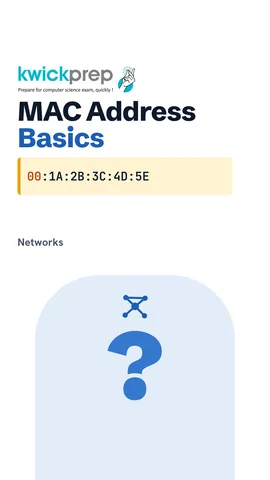 How many pins does an RJ-45 plug have?42 sec
The full lesson, in text
Hello students, welcome to Kwickprep. A hub and a switch look almost the same, but one shouts every message to everyone. Which one? Today we will learn the devices that build a network. We will also see the plug and the address that every device needs.
Let us start with the modem. The word modem joins two words, modulator and demodulator. A computer works with digital data, zeros and ones, but many lines like telephone lines carry analog signals, which are smooth waves. Modulation changes digital data into an analog signal, to send it on the line. Demodulation changes the analog signal back into digital data at the other end. So a modem connects your home to the internet provider's line.
Next, every computer needs a way to join the network. That is the job of the network interface card, also called an Ethernet card. It is a small circuit board, and in most new laptops it is built into the motherboard. It has a port where the network cable plugs in. Each card also carries a unique hardware address, called the Mac address, which we will learn shortly.
Now the hub. A hub is the central device of a simple star network, with many ports for cables. It receives data from a computer on one port. It does not know who the data is for, so it copies the data out of every other port. This wastes bandwidth, and every computer receives messages meant for others. Hubs are old devices, and switches have replaced them.
Let us watch one packet, which is a small piece of data, go through a hub. Computer A sends a packet for computer C. The hub receives it on one port. The hub copies the packet to all the other ports, so every computer gets it. Each computer checks, is this packet for me? Only computer C accepts it, and every other computer ignores it.
Now the switch. A switch looks just like a hub from outside, but it is smart. It learns which Mac address is connected to which port, and keeps this in a table. Then it sends each packet only out of the port where the receiver is. So a switch is faster and safer, and it creates far less extra traffic than a hub.
Watch the same packet go through a switch. The switch reads the Mac address of the receiver. It asks, do I already know the port for this address? If yes, it sends the packet only to that one port, and no other computer sees it. If no, it sends it out once to all ports, notes the reply, and learns the port for next time.
Here is the comparison exams ask for. A hub sends data to all ports, and a switch sends it to the right port only. A hub has no intelligence, and a switch learns addresses. A hub is slower when traffic grows, and a switch is faster. A hub gives low security because everyone gets everything, and a switch gives better security.
Next, the repeater. Signals become weaker as they travel along a long cable, just as your voice fades across a big playground. A repeater receives this weak signal. It regenerates it, which means it rebuilds it to full strength, and sends it onward. For example, a network cable run longer than about one hundred metres needs a repeater in between.
Now the router. A router connects different networks together, like your home network and the Internet. It reads the I P address on each packet, which is the logical address that tells which network and device it is going to. It then chooses the best path for the packet, just like a delivery company chooses a route. The Wi-Fi router at home joins your home network to your internet provider.
Next, the gateway. A gateway connects two networks that use different protocols, which means different sets of rules. It translates the data from one protocol to the other, so both sides understand it. It is the entry and exit point of a network, so all traffic going out passes through it. Think of a translator helping a Gujarati speaker talk with a Tamil speaker.
Let us put them side by side. A hub copies data to all ports and reads no address. A switch delivers data inside a local network using Mac addresses. A repeater only boosts the signal and reads no address. A router joins networks using I P addresses. A gateway translates between different protocols.
Now the small parts. R J forty five is the plug at the end of an Ethernet cable. It has eight pins, one for each of the eight wires in a twisted pair cable. It clicks into the port of a network card, a switch or a router. It looks like a landline phone plug, but wider.
Every network card has a Mac address. Mac stands for media access control. It is a unique physical address, set in the card by the maker. It is forty eight bits long, and written as twelve hexadecimal digits, which use zero to nine and A to F. On screen, you can see it written in six pairs separated by colons, and the first half tells us the maker of the card.
Students often mix up the two addresses, so compare them. A Mac address is physical, while an I P address is logical. The card maker sets the Mac address, but the network gives the I P address. A Mac address normally stays fixed, while an I P address can change when you join a new network. A Mac address has forty eight bits. An I P address has thirty two bits in version four, or one hundred twenty eight in version six.
Finally, the Wi-Fi card. It is a network interface card without a cable, so it is wireless. It uses a small antenna to send and receive data on radio waves. Just like a wired card, it has its own Mac address. Today it is built into every phone and laptop, and older desktops can add one as a small U S B stick.
Pause and predict. An office runs a network cable one hundred fifty metres long, and the signal is too weak at the far end. Which device fixes this? A repeater, because it regenerates the weak signal to full strength. A router would not help, because the problem is signal strength, not joining networks.
Let us revise what we learned today. A modem changes digital data to analog and back, and a network card joins a computer to the network. A hub sends data to all ports, but a switch sends it only to the right port. A repeater boosts signals, a router joins networks, and a gateway translates protocols. The R J forty five plug has eight pins, and a Wi-Fi card is a wireless network card. And the Mac address is the forty eight bit physical address of every card.
Courses that teach this
| Course | Unit |
|---|---|
| CBSE Class 12 Computer Science (083) | Computer Networks |
| CBSE Class 12 Informatics Practices (065) | Introduction to Computer Networks |
| CBSE Class 11 Information Technology (802) | Part B, Unit 2: Networking and Internet |
| ICSE Class 10 Computer Applications | Revision of Class IX Syllabus |
| ISC Class 12 Computer Science (868) | Statements and Scope |
| Cambridge IGCSE Grade 10 Computer Science (0478) | 3. Hardware |
| Programming All levels C | Control Structures |
Voice-over in this lesson is AI-generated. The script is written and checked by Kajal Ma'am. Boards can revise a syllabus mid-year, so confirm anything you plan around against the official board circular. Keep your passwords, OTPs and ID numbers to yourself — we never ask for them. To reach Kajal Ma'am, use the WhatsApp button; sharing your number there is how we call you back.
Free to watch, no sign-up. Live classes with Kajal Ma'am are the paid course; these lessons stay free either way.