

KwickAcademy Computer Systems · 7 min · free
Number Systems: Binary, Octal, Decimal and Hexadecimal
Learn binary, octal, decimal and hexadecimal: place value, step-by-step conversions and where hex is used. Computers use binary because every tiny switch in a chip is either off (0) or on (1).
Follows the syllabus of: CBSE Class 11 Computer Science (083), CBSE Class 11 Computer Science Essentials (083), ISC Class 11 Computer Science (868), ISC Class 12 Computer Science (868)
On screen in this lesson
Why computers use binary
| A computer is made of millions of tiny switches |
| A switch has only two states: off or on |
| Off is 0 and on is 1 |
| Two states are easy to build and hard to confuse |
Bits and bytes
| Bit: one binary digit, 0 or 1 |
| Nibble: 4 bits |
| Byte: 8 bits, enough for 256 patterns |
Four number systems
| System | Base | Digits used |
|---|---|---|
| Binary | 2 | 0 and 1 |
| Octal | 8 | 0 to 7 |
| Decimal | 10 | 0 to 9 |
| Hexadecimal | 16 | 0 to 9, A to F |
Place value in decimal
| Place | Value | Digit in 345 |
|---|---|---|
| Hundreds | 10 x 10 = 100 | 3 |
| Tens | 10 | 4 |
| Ones | 1 | 5 |
Place values in each base
| Base | Place values | Right to left |
|---|---|---|
| 2 | 8, 4, 2, 1 | doubles |
| 8 | 512, 64, 8, 1 | times 8 |
| 10 | 1000, 100, 10, 1 | times 10 |
| 16 | 4096, 256, 16, 1 | times 16 |
Binary to decimal: 1101
| Place value | Bit | Worth |
|---|---|---|
| 8 | 1 | 8 |
| 4 | 1 | 4 |
| 2 | 0 | 0 |
| 1 | 1 | 1 |
| Total | 13 |
Quick answers
What is hex FF in decimal?
255, the largest number one byte can hold.
How many bits does one hex digit stand for?
Exactly 4 bits.
KwickClips from this lesson
Short clips, one idea each. Good for revision the night before.
 What does 1 mean inside a chip?40 sec
 What is the rightmost place value in any base?44 sec
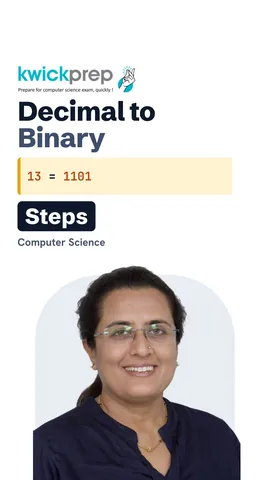 What is 13 in binary?40 sec
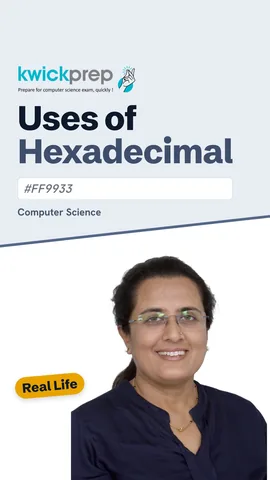 What colour code system is #FF9933?40 sec
The full lesson, in text
Hello students, welcome to Kwickprep. A computer stores your marks, photos and songs using only two digits, zero and one. How is that possible? Today we will learn binary, octal, decimal and hexadecimal, how to convert between them step by step, and where hexadecimal is used.
First, why binary? A computer chip is made of millions of tiny electronic switches called transistors. Each switch has only two states, off or on. We write off as zero and on as one. Two states are cheap to build, and a signal is either clearly there or not, so errors are rare.
Now two words you will use a lot. A bit, short for binary digit, is a single zero or one. A nibble is a group of four bits. A byte is a group of eight bits, and it can make two hundred fifty six different patterns.
The base of a number system is how many different digits it uses. Binary is base two and uses only zero and one. Octal is base eight and uses zero to seven. Decimal, also called denary, is base ten, the system we use every day. Hexadecimal is base sixteen, so after nine it uses the letters A to F, where A is ten and F is fifteen.
Every system uses place value, which means a digit's worth depends on its position. Take three hundred forty five. The three sits in the hundreds place, so it is worth three hundred. The four sits in the tens place, worth forty. The five sits in the ones place, worth five.
The rule is the same in every base. In binary, the place values start at one and double each time, so one, two, four, eight. In octal, they multiply by eight, so one, eight, sixty four. In decimal, they multiply by ten. In hexadecimal, they multiply by sixteen, so one, sixteen, two hundred fifty six.
Let us convert binary one one zero one to decimal. Write the place values over the bits, starting from eight on the left. The eight place has a one, so it is worth eight. The four place has a one, so it is worth four. The two place has a zero, so it is worth nothing. The one place has a one, worth one. Add the worths: eight plus four plus one is thirteen.
Now the other way, decimal thirteen to binary, using repeated division by two. Thirteen divided by two is six, remainder one. Six divided by two is three, remainder zero. Three divided by two is one, remainder one. One divided by two is zero, remainder one. Stop at zero, and read the remainders from bottom to top: one one zero one.
Some exams ask for this method in pseudocode. MOD gives the remainder, and DIV gives the whole number answer of a division. Each remainder is joined to the front of the result, so the result reads from bottom to top. The loop stops when the number reaches zero.
The place value method works for octal and hex too. Octal one five seven is one times sixty four, plus five times eight, plus seven, which is one hundred eleven. Hex two F is two times sixteen, plus fifteen, which is forty seven. Hex C eight is twelve times sixteen, plus eight, which is two hundred.
Here is the fastest trick. One hex digit is exactly four bits, and one octal digit is exactly three bits. For hex, split the bits into groups of four from the right. One zero one one is eleven, which is B, and zero one one one is seven, so B seven. For octal, split into threes from the right, adding a zero on the left. That gives two, six, seven. Both are one hundred eighty three in decimal.
Pause and predict. What is hex F F in decimal? It is fifteen times sixteen plus fifteen, which is two hundred fifty five. What is binary with eight ones? Also two hundred fifty five, the largest number one byte can hold.
So why do programmers like hexadecimal? Long strings of zeros and ones are hard for people to read. Each hex digit replaces four bits, so a byte becomes just two hex digits. Shorter numbers mean fewer mistakes when we read or copy them. And the computer still stores binary, because hex converts back to binary easily.
Here is where you will meet hex in real life. Web page colours use six hex digits, two each for red, green and blue, so hash F F nine nine three three is saffron. A MAC address, the fixed ID of a network card, is twelve hex digits in pairs. Windows error codes are shown in hex, and zero x eight zero zero seven zero zero zero five means access denied. Memory addresses and memory dumps, used in debugging, are also shown in hex.
Let us revise what we learned today. Computers use binary because their switches are only off or on. Binary is base two, octal base eight, decimal base ten and hex base sixteen. Place values multiply by the base as you move left. To convert from decimal, divide by the base and read the remainders from bottom to top. And hex is used for colours, MAC addresses and error codes. Practise with your own roll number.
Courses that teach this
| Course | Unit |
|---|---|
| CBSE Class 11 Computer Science (083) | Computer Systems and Organisation |
| CBSE Class 11 Computer Science Essentials (083) | Computer Systems and Organisation |
| ISC Class 11 Computer Science (868) | Computer Systems and Number Representation |
| ISC Class 12 Computer Science (868) | Boolean Algebra |
| GSEB Std 9 Computer Studies | Memory, Storage Devices and Data Representation |
| Cambridge IGCSE Grade 9 Computer Science (0478) | 1. Data Representation |
| Cambridge IGCSE Grade 10 Computer Science (0478) | 1. Data Representation |
| Edexcel GCSE GCSE Computer Science (1CP2) | Topic 2: Data |
| NIOS Senior Secondary Computer Science (330) | Module 1: Basic Computing |
Voice-over in this lesson is AI-generated. The script is written and checked by Kajal Ma'am. Boards can revise a syllabus mid-year, so confirm anything you plan around against the official board circular. Keep your passwords, OTPs and ID numbers to yourself — we never ask for them. To reach Kajal Ma'am, use the WhatsApp button; sharing your number there is how we call you back.
Free to watch, no sign-up. Live classes with Kajal Ma'am are the paid course; these lessons stay free either way.