

KwickAcademy Computer Science · 6 min · free
Cyber Safety: Safe Browsing, Identity Protection and Confidentiality
Cyber safety means using the internet safely: check the real domain, protect your identity and keep confidential data private. No real bank ever asks for your OTP.
Follows the syllabus of: CBSE Class 9 Computer Applications (165), CBSE Class 11 Computer Science (083), CBSE Class 11 Computer Science Essentials (083), CBSE Class 11 Information Technology (802)
On screen in this lesson
What is cyber safety?
| Using the internet safely and responsibly |
| Protects your data, money and device |
| Protects your well-being and reputation |
Reading a web address
| Part | Meaning |
|---|---|
| https:// | Encrypted link |
| sbi.co.in | Real domain |
| /login | Page on the site |
Spot the fake address
| Address | Verdict |
|---|---|
| mybank.example | Real |
| mybank.fake.example | Fake |
| g00gle.example | Fake: zeros |
| http://kyc.example | Unsafe |
Signs of an unsafe website
| Misspelt address or wrong domain |
| Too many pop-ups or fake virus alerts |
| Deals too good to be true |
| Forces you to download a file or app |
| Asks for password, OTP or card details |
What is identity theft?
| Identity: details that prove who you are |
| Theft: a criminal pretends to be you |
| Fake profiles in your name |
| Asking your friends for money |
| Loans or SIM cards in your name |
Protecting your identity
| Strong, different password for each account |
| Never share an OTP, even with the 'bank' |
| Log out on shared or cyber cafe computers |
| Use private browsing on shared computers |
| Mark photocopies of ID with purpose and date |
Quick answers
Is sbi.login-help.net safe?
No. The real domain is not sbi.co.in.
Should you post a live holiday update?
No. It tells others your home is empty.
KwickClips from this lesson
Short clips, one idea each. Good for revision the night before.
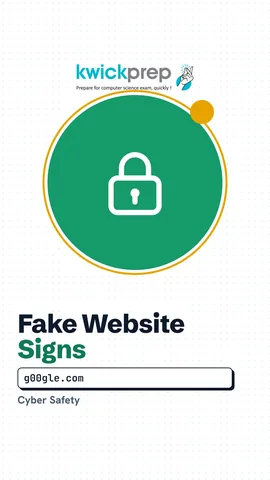 Does a padlock mean a site is safe?39 sec
 What is identity theft?39 sec
 Can you share your Aadhaar number in a chat?38 sec
 Why not post a live holiday update?40 sec
The full lesson, in text
Hello students, welcome to Kwickprep. A message says you have won a free phone, just click the link. Would you click it? Today we will learn cyber safety. We will see how to recognise unsafe websites, protect your identity, keep personal information confidential and use social networks safely.
First, the meaning. Cyber safety means using the internet safely and responsibly. It protects your personal data, your money and your device. It also protects your mental well-being and your reputation. Cyber safety is not only for experts, it is a habit every student needs.
Let us learn to read a web address, also called a URL. After the two slashes comes the domain, which tells you who really owns the site. H T T P S means the connection is encrypted, which means scrambled so others cannot read it. A padlock icon shows the same thing. But a padlock only means the connection is private, not that the site is honest.
Fake websites copy real names with small changes. Pause and predict, which of these are fake? The first one is our example bank's real website. The second only starts with the bank's name, but its real domain is a different one, so it is fake. The third uses zeros in place of letters, so it is fake. The fourth is plain H T T P with no encryption, so never enter a password there.
Here are warning signs of an unsafe website. The address is misspelt or does not match the brand. The site shows many pop ups, or says your phone has a virus. It offers deals that are too good to be true, like a phone for ninety nine rupees. It forces you to download an app or a file. And it asks for your password, O T P or card details without reason.
Use this check before you type anything into a website. First, open the website. Ask, is the domain wrong or misspelt? If yes, close the site. If no, ask, is H T T P S missing? If yes, do not enter private data. If both answers are no, continue carefully.
Now, protecting your identity. Your online identity is the information that proves who you are, such as your name, photos, Aadhaar number and account passwords. Identity theft means a criminal steals these details and pretends to be you. They may open fake social media accounts in your name. They may ask your friends for money. They may even take loans or sim cards in your name.
Here is how you protect your identity. Use strong, different passwords for each account. Never share an O T P with anyone, not even someone who claims to be from a bank. Log out when you use a shared or cyber cafe computer. Use private browsing on shared computers, so history and passwords are not saved. And when you give a photocopy of your Aadhaar, write the purpose and date across it.
Confidential means private and meant only for trusted people. Some information is always confidential. Passwords, O T Ps and pins must never be shared with anyone. Aadhaar, bank and card numbers go only to trusted, official places. Your home address and live location should stay with family and close friends. Your school name and timetable can help a stranger find you.
How do we keep such information confidential? Use a lock screen with a pin or fingerprint on your phone. Do not save passwords on a shared computer. Avoid logging in to banking apps on public Wi-Fi. Read what an app or form wants, and fill only the required fields. Shred or tear papers that carry personal details before throwing them away.
Social networks are fun, but they need care. Keep your account private, so only approved people see your posts. Accept friend requests only from people you know in real life. Do not share your live location or post that your family is away on holiday. Never meet an online friend alone, and tell a parent if anyone makes you uncomfortable. Remember that most social media apps need users to be at least thirteen.
Pause and predict. Is each post safe or unsafe? A photo of your painting with no personal details is safe. A photo in school uniform showing the school name is unsafe, because strangers learn where you study. A post saying, our family is in Goa for a week, is unsafe, because it says your home is empty. A post about a book you liked is safe.
Let us revise what we learned today. Check the real domain and H T T P S before trusting a website. Watch for pop ups, fake offers and requests for O T Ps. Protect your identity with strong passwords, and never share an O T P. Keep passwords, Aadhaar and your location confidential. On social networks, stay private and accept only people you know.
Courses that teach this
| Course | Unit |
|---|---|
| CBSE Class 9 Computer Applications (165) | Cyber-safety |
| CBSE Class 11 Computer Science (083) | Society, Law and Ethics |
| CBSE Class 11 Computer Science Essentials (083) | Society, Law and Ethics |
| CBSE Class 11 Information Technology (802) | Part B, Unit 2: Networking and Internet |
Voice-over in this lesson is AI-generated. The script is written and checked by Kajal Ma'am. Boards can revise a syllabus mid-year, so confirm anything you plan around against the official board circular. Keep your passwords, OTPs and ID numbers to yourself — we never ask for them. To reach Kajal Ma'am, use the WhatsApp button; sharing your number there is how we call you back.
Free to watch, no sign-up. Live classes with Kajal Ma'am are the paid course; these lessons stay free either way.