

KwickAcademy Course Topics · 7 min · free
Spreadsheets
A spreadsheet is a grid of rows and columns that calculates with formulas. Formulas start with =, like =SUM(B2:B6).
Follows the syllabus of: NIOS Senior Secondary Computer Science (330)
On screen in this lesson
What is a spreadsheet?
| A grid of rows and columns |
| Stores numbers, text and dates |
| Calculates using formulas |
| Examples: Calc, Excel, Google Sheets |
Key terms
| Term | Meaning | Example |
|---|---|---|
| Row | across, numbered | row 3 |
| Column | runs down, lettered | column B |
| Cell | row meets column | B3 |
| Range | block of cells | B2:B6 |
| Sheet | one page of grid | Sheet1 |
| Workbook | the whole file | result file |
Entering data
| Click a cell and type |
| Text lines up left, numbers right |
| Tab moves right, Enter moves down |
| Fill handle copies a series: 1, 2, 3 |
Formulas start with =
| Formula | Does | Result |
|---|---|---|
| =B2+C2 | adds two cells | 85 + 90 |
| =D2-E2 | subtracts | profit |
| =B2*C2 | multiplies | price x qty |
| =B2/C2 | divides | average |
| =B2^2 | power | square |
Common functions
| Function | Gives | Example |
|---|---|---|
| SUM | total | =SUM(B2:B6) |
| AVERAGE | mean | =AVERAGE(B2:B6) |
| MAX, MIN | largest, smallest | =MAX(B2:B6) |
| COUNT | how many numbers | =COUNT(B2:B6) |
| IF | choice by condition | Pass or Fail |
Result sheet example
| Student | Marks (B) | Result (C) |
|---|---|---|
| Riya | 78 | Pass |
| Aman | 29 | Fail |
| Neha | 64 | Pass |
| B5 formula | =SUM(B2:B4) |
Quick answers
C2 has =B2*$E$1. Copied to C3, what is it?
=B3*$E$1.
What does #DIV/0! mean?
Division by zero.
KwickClips from this lesson
Short clips, one idea each. Good for revision the night before.
The full lesson, in text
Hello students, welcome to Kwickprep. Change one mark in a result sheet, and the total, average and rank all update by themselves. How? That is the power of a spreadsheet. Today we will learn cells, formulas, functions, references, sorting and charts.
Let us start simple. A spreadsheet is software that arranges data in a grid of rows and columns. It stores numbers, text and dates. Its real strength is calculation, using formulas that update automatically. Common spreadsheets are LibreOffice Calc, Microsoft Excel and Google Sheets.
Let us learn the key words. A row runs across and is numbered, like row three. A column runs down and has a letter, like column B. A cell is where a row and column meet, and its address is column then row, like B3. A range is a block of cells, like B2 colon B6. A sheet is one page of the grid. A workbook is the whole file, which can hold many sheets.
To enter data, click a cell and type. By default, text lines up on the left and numbers on the right. Press Tab to move to the next cell on the right, and Enter to move down. The fill handle is the small square at a cell's corner. Drag it to continue a series, like one, two, three, or January, February, March.
A formula is a calculation, and it always starts with an equals sign. Equals B2 plus C2 adds two cells. Minus subtracts, for example selling price minus cost. The star multiplies, like price times quantity. The slash divides. The caret raises a power, so B2 caret two is the square.
A function is a ready-made formula with a name. SUM adds all the cells in a range. AVERAGE finds the mean. MAX gives the largest value and MIN the smallest. COUNT tells how many cells contain numbers. IF chooses a result by a condition, such as Pass when marks are thirty three or more.
Let us build a small result sheet. Riya scored seventy eight, so her result is Pass. Aman scored twenty nine, which is below thirty three, so Fail. Neha scored sixty four, so Pass. In cell B5, the formula equals SUM of B2 to B4 gives one hundred seventy one. The result cells use equals IF, B2 greater than or equal to thirty three, Pass, Fail.
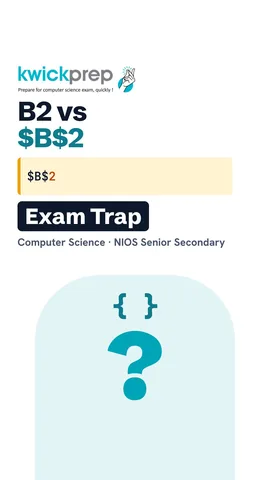
When you copy a formula, cell references can change. A relative reference, like B2, changes as you copy, so B2 becomes B3 in the next row. An absolute reference uses dollar signs, like dollar B dollar two, and never changes. A mixed reference fixes only the column or only the row. Use absolute references for a fixed value, like a tax rate in one cell.
Pause and predict. Cell C2 has equals B2 times dollar E dollar one. You copy this formula down to cell C3. What formula will C3 have? It becomes equals B3 times dollar E dollar one, because B2 is relative, but E1 is absolute.
Formatting makes a sheet easy to read. Number formats show values as rupees, percentages or dates. Bold, borders and fill colours highlight headings and totals. Merge and centre joins cells to place a title across the table. Conditional formatting colours cells by a rule, such as red for marks below thirty three.
Spreadsheets also organise data. Sorting arranges rows in order, like names from A to Z, or marks from high to low. Always select the whole table before sorting, or names and marks get mixed up. A filter shows only the rows that match a condition, like only Fail results. The other rows are just hidden, not deleted.
A chart turns numbers into a picture. Select the data first, then insert a chart. A column chart compares values, like the marks of each student. A line chart shows change over time, like sales each month. A pie chart shows parts of a whole, like how a family budget is shared. A bar chart is a sideways column chart, good when labels are long.
Students often meet a few error messages. Hash DIV slash zero means a formula divided by zero or an empty cell. Hash NAME means a function name is misspelled, like SUMM. A row of hash signs just means the column is too narrow, so widen it. Hash VALUE means the formula got the wrong type of data, like text instead of a number.
Let us revise what we learned today. A cell address is column then row, like B3. Every formula starts with an equals sign. Common functions are SUM, AVERAGE, MAX, MIN, COUNT and IF. A dollar sign makes a reference absolute, so it stays fixed when copied. And you can sort, filter and chart your data. Practise by making your own result sheet.
Courses that teach this
| Course | Unit |
|---|---|
| NIOS Senior Secondary Computer Science (330) | Module 2: Office Automation |
Free to watch, no sign-up. The live classes are the paid course; these lessons stay free either way.
Disclaimer. KwickAcademy is free study material for general learning and revision. Parts of it, including the voice-over, are produced with the help of AI tools and may contain errors; if you spot one, please tell us and we will correct it. Syllabus, marks and exam details follow the latest official board publications available to us, and boards can change them at any time, so always confirm against your board's official website and your school. Using this material does not guarantee any marks or result. Board names and trademarks belong to their owners; Kwickprep is not affiliated with or endorsed by any examination board. We never ask for passwords, OTPs or ID numbers. Your progress is saved only in this browser. Full disclaimer · Privacy