

KwickAcademy Course Topics · 6 min · free
Console mini-projects (calculator, quiz, number game)
Build three Python console mini-projects: a calculator, a three-question quiz and a number guessing game, using if, lists and loops. A console project runs in a plain text window and has three parts: input, process and output.
On screen in this lesson
What is a console project?
| Console: the text window where a program runs |
| Input: what the user types |
| Process: the program decides or calculates |
| Output: what the program prints back |
How we test in this video
| A real app reads the user with input() |
| Here we store the typed values in variables |
| Same logic, but the output is fixed and checkable |
| Swap in input() at home once it works |
Project 2: a quiz
| Question | Correct | Player typed |
|---|---|---|
| Capital of India? | new delhi | New Delhi |
| 7 times 8? | 56 | 54 |
| Days in a week? | 7 | 7 |
Making the game real
| import random, then random.randint(1, 100) |
| randint picks a whole number, both ends included |
| Read each guess with int(input("Guess: ")) |
| Use while True, and break when the guess is right |
Make each project better
| Calculator: add % and ** operators |
| Quiz: print the right answer after a wrong one |
| Game: count the guesses and print the total |
| Every project: ask Play again? at the end |
Quick recap
| Every console project: input, process, output |
| Calculator: if-elif on the operator, check for zero |
| Quiz: lists of answers, a loop, and a score |
| Number game: compare, give a hint, break when right |
Quick answers
How do you stop a calculator crashing when b is 0?
Check if op is "/" and b == 0 first, and print "Cannot divide by zero".
How does the guessing game stop when the guess is right?
It prints Correct! and uses break to leave the loop.
KwickClips from this lesson
Short clips, one idea each. Good for revision the night before.
The full lesson, in text
Hello students, welcome to Kwickprep. You know variables, if and loops. Can you join them into something that feels like a real app? Yes, you can. Today we will build three small console projects: a calculator, a quiz and a number guessing game.
First, a new word. The console is the plain text window where a program runs, with no buttons or pictures. Every console project has three parts. Input is what the user types. Process is where the program calculates or decides. Output is what the program prints back to the user.
One note before we start. A real app reads what the user types with the input function. In this video, we put the typed values straight into variables instead. The logic is exactly the same, and the output never changes, so we can check it. Once your program works, swap in input at home and play it.
Our calculator gets two numbers, the variables a and b, and an operator called op. Here a is twelve, b is four, and op is the slash for divide. Double equals compares two values, while one equals sign stores a value. Python checks each elif from top to bottom. Op matches the slash, so it prints twelve divided by four. One slash always gives a decimal answer, so we see three point zero.
Pause and predict. What happens if the user types zero for b? If the variable b is zero without a check, Python stops with a zero division error. A good app never crashes like that. The word and means both conditions must be True. The operator is divide and b is zero, so we print a polite message instead.
Our second project is a three question quiz. The first question asks for the capital of India, and the player types New Delhi with capital letters. The second asks seven times eight, and the player wrongly types fifty four. The third asks the days in a week, and the player types seven. Let us see how the program scores this.
A list keeps many values in square brackets, and each value has a position number called an index, starting at zero. The loop runs with the index i as zero, one and two. Lower turns the typed answer into small letters, so New Delhi still matches. Each match adds one to score. Two answers match, so it prints Score two out of three.
The third project is a number guessing game, drawn here as a flowchart. First, we read the player's guess. The first diamond asks, is the guess equal to the secret number? If yes, we print Correct and the game stops. If no, the second diamond asks, is the guess bigger than the secret? If yes, we print Too high, and otherwise we print Too low. Then the game asks for another guess.
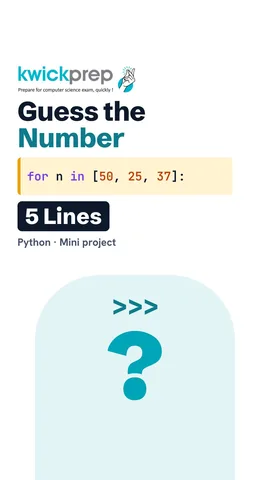
Here the secret is thirty seven, and the player's three guesses sit in a list. Num, short for number, takes each guess in turn. Fifty is greater than thirty seven, so Too high. Twenty five is less, so Too low. Thirty seven is neither, so the else prints Correct. The word break stops the loop at once, so no more guesses are read.
To play it for real at home, change three things. Import the random module, and use rand int with one and one hundred to pick the secret. Rand int picks a whole number, and both one and one hundred can come. Read each guess with input, and wrap it in int to turn the text into a number. Use a while True loop, and break when the guess is right.
Here are ideas to grow each project yourself. In the calculator, add the modulus operator for remainder and the double star for power. In the quiz, print the correct answer whenever the player is wrong. In the game, count the guesses and show the total at the end. And in every project, ask the player if they want to play again.
Let us revise what we learned today. Every console project has input, process and output. The calculator uses if and elif on the operator, and checks for zero before dividing. The quiz keeps answers in lists, loops through them, and counts the score. The number game compares each guess, gives a hint, and uses break when the guess is right.
Courses that teach this
| Course | Unit |
|---|---|
| Programming All levels Python | Projects and Applications |
Free to watch, no sign-up. The live classes are the paid course; these lessons stay free either way.
Disclaimer. KwickAcademy is free study material for general learning and revision. Parts of it, including the voice-over, are produced with the help of AI tools and may contain errors; if you spot one, please tell us and we will correct it. Syllabus, marks and exam details follow the latest official board publications available to us, and boards can change them at any time, so always confirm against your board's official website and your school. Using this material does not guarantee any marks or result. Board names and trademarks belong to their owners; Kwickprep is not affiliated with or endorsed by any examination board. We never ask for passwords, OTPs or ID numbers. Your progress is saved only in this browser. Full disclaimer · Privacy