

KwickAcademy Python · 7 min · free
Connecting Python with MySQL
Learn to connect Python with MySQL: install and import the connector, use connect, cursor and execute, fetch rows, and commit changes. Without commit(), an INSERT, UPDATE or DELETE stays pending and the table looks unchanged.
Follows the syllabus of: CBSE Class 12 Computer Science (083)
On screen in this lesson
Installing the connector
| A connector is a bridge between Python and MySQL |
| Install once, in the command prompt or terminal |
| pip install mysql-connector-python |
| Then in Python: import mysql.connector |
Our student table
| rollno | name | marks |
|---|---|---|
| 1 | Riya | 88 |
| 2 | Aman | 72 |
| 3 | Neha | 95 |
| 4 | Kabir | 64 |
The fetch methods
| Method | Returns | Here |
|---|---|---|
| fetchone() | next row, a tuple | (1, 'Riya', 88) |
| fetchmany(2) | next 2 rows, a list | rows 2 and 3 |
| fetchall() | all rows left | row 4 only |
| fetchone() again | None if no rows | None |
rowcount: a closer look
| After a SELECT: rows fetched so far |
| After fetchone(): rowcount is 1 |
| After fetchall() on 4 rows: rowcount is 4 |
| After INSERT, UPDATE, DELETE: rows changed |
Values from the user
| Real programs take values from input() |
| Never type values straight into the query |
| Way 1: placeholders %s with a tuple |
| Way 2: build the string with format() |
Common mistakes
| Forgetting con.commit() after a change |
| Writing (m) instead of (m,) for one value |
| Calling cur.commit(): commit belongs to con |
| Writing rowcount() with brackets |
Quick answers
My INSERT gave no error but the table is empty. Why?
You did not call con.commit(), so the change stayed pending.
Why write (m,) and not (m)?
A single value needs the comma to be a tuple.
KwickClips from this lesson
Short clips, one idea each. Good for revision the night before.
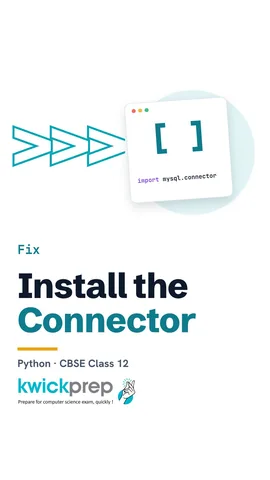 Where do you run the pip command?43 sec
 What does fetchone() return when no rows are left?41 sec
 Which operations need a commit?43 sec
 Why does one value need a comma in (m,)?40 sec
The full lesson, in text
Hello students, welcome to Kwickprep. You inserted a record from Python, and no error came. But the table is still empty. Why? Today we connect Python with MySQL, run queries, fetch rows, and learn why commit solves this mystery.
Every Python and MySQL program follows the same steps. First, import the connector module. Second, connect to the MySQL server. Third, create a cursor from that connection. Fourth, execute an SQL query with the cursor. Fifth, fetch the result rows for a select, or commit for a change. Finally, close the connection.
Python cannot talk to MySQL on its own. A connector is a module that acts as a bridge between the two. We install it only once, from the command prompt or terminal, not inside Python. The command is pip install mysql dash connector dash python. After that, every program starts with import mysql dot connector.
The word as gives the module a short name, sqltor, so we type less. Connect needs four details. Host is the computer running MySQL, and localhost means this same computer. User and passwd are your MySQL login, and database is the database to use. It returns a connection object, which we call con. Is connected returns True when the link is working.
A cursor is an object that sends queries and holds their results, like a pointer moving over rows. We create it by calling cursor on the connection. Then execute sends one SQL query, written as a string, to MySQL. The rows now wait inside the cursor. Nothing is shown yet, because we have not fetched them.
For the next slides, this is the student table in the school database. Roll one is Riya, with eighty eight marks. Roll two is Aman, with seventy two. Roll three is Neha, with ninety five. Roll four is Kabir, with sixty four.
After a select, the fetch methods read rows from the cursor, and each one continues where the last stopped. Fetchone returns the next single row as a tuple, here Riya's row. Fetchmany of two returns the next two rows as a list of tuples. Fetchall returns all the rows that are left, which is only Kabir's row now. Once no rows are left, fetchone returns None.
Most programs use fetchall and a loop. Rows is a list of tuples, one tuple per record. Inside the loop, row of one is the name, and row of two is the marks. Rowcount gives the number of rows the cursor has returned so far. Here, after fetchall, count is four.
Rowcount is a property of the cursor, not a method, so it has no brackets. After a select, it counts the rows fetched so far. So right after one fetchone, rowcount is one. After fetchall on our four rows, rowcount is four. After an insert, update or delete, it tells how many rows were changed.
Now the mystery from the start. After insert, update or delete, the change is only pending, which means not yet saved. Commit on the connection saves the change permanently in the database. Without commit, the new row can be lost when the program ends. Here rowcount is one, because one row was inserted.
Update and delete follow the same pattern. Two strings written side by side inside brackets join into one query. The update changes Aman's marks to seventy six, and commit saves it. The delete removes Kabir's row, and commit saves that too. Pause and predict. What does rowcount show after this delete? One, because one row was deleted.
In real programs, values like marks come from the user, through input. So we need a query with blanks that get filled at run time. We should not edit the query by hand every time. The first way uses percent s placeholders, filled by a tuple. The second way builds the query string with the format method.
Here the variable, m, holds the minimum marks typed by the user. In the query, percent s is a placeholder, a blank for a value. We pass the values as a tuple, the second argument of execute. A tuple with one value needs a comma, so we write m comma, inside brackets. The connector fills the blank safely, even for strings with quotes.
The second way is the format method. Each pair of curly brackets in the string is replaced by a value, so the query becomes marks greater than seventy. Then we execute the finished string. For text values, you must add quotes around the curly brackets yourself. Placeholders are safer, because format pastes the value directly into the query. When all the work is done, close ends the connection.
Avoid these four common mistakes. Forgetting commit means your insert, update or delete may never be saved. A single value in brackets without a comma is not a tuple. Commit belongs to the connection, con, not the cursor. And rowcount is a property, so it never takes brackets.
Let us revise what we learned today. Install the connector with pip once, then import it in every program. Connect gives the connection, and cursor gives the cursor that executes queries. Fetchone, fetchmany and fetchall read rows, and rowcount counts them. Always commit after insert, update and delete. And pass user values with percent s and a tuple, or with format.
Courses that teach this
| Course | Unit |
|---|---|
| CBSE Class 12 Computer Science (083) | Database Management |
Voice-over in this lesson is AI-generated. The script is written and checked by Kajal Ma'am. Boards can revise a syllabus mid-year, so confirm anything you plan around against the official board circular. Keep your passwords, OTPs and ID numbers to yourself — we never ask for them. To reach Kajal Ma'am, use the WhatsApp button; sharing your number there is how we call you back.
Free to watch, no sign-up. Live classes with Kajal Ma'am are the paid course; these lessons stay free either way.