

KwickAcademy Course Topics · 5 min · free
Formatting paragraphs
Paragraph formatting in Word sets alignment, line spacing, spacing before and after, indents, lists and borders. Just click inside a paragraph to format it.
Follows the syllabus of: NIOS Secondary Data Entry Operations (229)
On screen in this lesson
What is a paragraph?
| Paragraph: text up to where you pressed Enter |
| Paragraph formatting changes the whole paragraph |
| Click inside it; no need to select |
| Commands: Home tab, Paragraph group |
Alignment
| Alignment | Keys | Used for |
|---|---|---|
| Left | Ctrl+L | Letters |
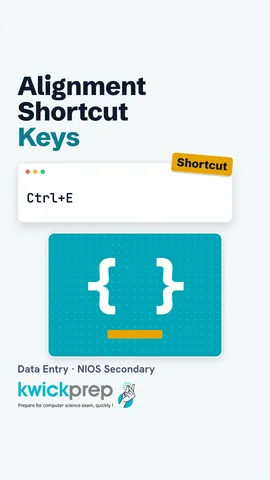
| Center | Ctrl+E | Headings |
| Right | Ctrl+R | Dates |
| Justify | Ctrl+J | Books, reports |
Line spacing
| Spacing | Keys | Use |
|---|---|---|
| 1.0 | Ctrl+1 | Single |
| 1.5 | Ctrl+5 | Easy reading |
| 2.0 | Ctrl+2 | Room for notes |
Spacing before and after
| Gap between paragraphs, not lines |
| Measured in points: 72 points = 1 inch |
| Use it instead of pressing Enter twice |
| Set in the Paragraph dialog or Layout tab |
Indents
| Indent | Effect |
|---|---|
| Left indent | Whole para in |
| Right indent | In from right |
| First line | First line in |
| Hanging | Other lines in |
Setting indents
| Increase or Decrease Indent buttons on Home |
| Drag the indent markers on the ruler |
| Type exact values in the Paragraph dialog |
Quick answers
What is the gap between paragraphs called?
Spacing before and after.
What does a hanging indent do?
Keeps the first line out and moves the other lines in.
KwickClips from this lesson
Short clips, one idea each. Good for revision the night before.
The full lesson, in text
Hello students, welcome to Kwickprep. Why does one letter look neat and another look messy, with the same words? The answer is paragraph formatting. Today we will learn alignment, indents, spacing, bullets and borders in Word.
In Word, a paragraph is all the text up to the point where you pressed Enter. Even one heading line is a paragraph. Paragraph formatting changes the whole paragraph, not single letters. To format one paragraph, just click anywhere inside it. The commands are in the Paragraph group on the Home tab.
Alignment decides how lines sit between the left and right margins. Left alignment, Ctrl+L, is normal for letters. Center, Ctrl+E, is used for headings and titles. Right alignment, Ctrl+R, is used for dates. Justify, Ctrl+J, makes both edges straight, as in newspapers.
Line spacing is the gap between lines inside a paragraph. Single spacing, Ctrl+1, keeps lines close. One point five spacing, Ctrl+5, is easier to read. Double spacing, Ctrl+2, leaves room to write notes. Click the Line and Paragraph Spacing button on the Home tab for more choices.
Now the gap between paragraphs. Spacing before and after is the gap between paragraphs, not between lines. It is measured in points, where seventy two points make one inch. Use it instead of pressing Enter twice to leave a gap. Set it in the Paragraph dialog box, or on the Layout tab.
An indent is the gap between the text and the page margin. A left indent pushes the whole paragraph in from the left. A right indent pulls it in from the right. A first line indent moves only the first line in, like in a story book. A hanging indent keeps the first line out, and moves the other lines in.
There are three ways to set indents. The Increase Indent and Decrease Indent buttons on the Home tab move the paragraph by half an inch. The markers on the ruler can be dragged. The Paragraph dialog box lets you type exact values.
The Paragraph dialog box has every setting in one place. Click the small arrow at the bottom right corner of the Paragraph group to open it. On one tab, you set alignment, indents and spacing together. The Preview box shows the result before you confirm.
Lists make points easy to read. Bulleted lists use dots or symbols when the order does not matter, like a list of documents to bring. Numbered lists use one, two, three when order matters, like steps to fill a form. Multilevel lists show points inside points. Press Enter twice to end a list.
Borders and shading make a paragraph stand out, like an important notice. A border is a line around the paragraph. Shading is a background colour behind it. Both buttons are in the Paragraph group, and the Borders and Shading dialog gives more styles.
Pause and predict. A heading is centered, and you click inside it and press Ctrl+J. What happens? The heading becomes justified. But a single short line looks left aligned, because justify only stretches lines that are full.
Here is a big time saver. Format Painter copies formatting from one paragraph to another. Click inside a formatted paragraph, then click the Format Painter brush on the Home tab. Now click or drag over the text that should look the same. Double click the brush to paint many places, and press Esc to stop.
Let us revise. A paragraph is text up to the Enter key, and you only need to click inside it. Alignment has four types with Ctrl+L, E, R and J. Line spacing is inside a paragraph, while spacing before and after is between paragraphs. Indents can be left, right, first line or hanging. Use bullets, numbering, borders and Format Painter for neat pages. Practise by formatting one school notice.
Courses that teach this
| Course | Unit |
|---|---|
| NIOS Secondary Data Entry Operations (229) | 4. Formatting Documents |
Voice-over in this lesson is AI-generated. The script is written and checked by Kajal Ma'am. Boards can revise a syllabus mid-year, so confirm anything you plan around against the official board circular. Keep your passwords, OTPs and ID numbers to yourself — we never ask for them. To reach Kajal Ma'am, use the WhatsApp button; sharing your number there is how we call you back.
Free to watch, no sign-up. Live classes with Kajal Ma'am are the paid course; these lessons stay free either way.