

KwickAcademy Java · 7 min · free
Input in Java: Scanner Class and Other Input Methods
Three ways data enters a Java program: initialisation, parameters and run time input, with Scanner, the nextLine trap and command line arguments.
Follows the syllabus of: ICSE Class 9 Computer Applications, ICSE Class 10 Computer Applications, ISC Class 12 Computer Science (868)
On screen in this lesson
Three ways to give data
| Initialisation: value written in the code |
| Parameters: value passed into a method |
| Run time input: user types while it runs |
Way 3: the Scanner class
| Scanner is in the package java.util |
| Import it at the top of the program |
| System.in means the keyboard |
| Create one Scanner object and reuse it |
Four Scanner methods
| Method | Reads | Type 45.5 Riya |
|---|---|---|
| nextInt() | int | error |
| nextDouble() | double | 45.5 |
| next() | one word | 45.5 |
| nextLine() | rest of line | 45.5 Riya |
Command line arguments
| Values typed after the class name to run it |
| They arrive in main's String[] args array |
| Every argument is a String |
| Convert numbers with Integer.parseInt() |
Other input methods
| BufferedReader with InputStreamReader |
| Reads a full line with readLine() |
| Needs parseInt() for numbers |
| Must handle IOException |
Which way to choose?
| Way | Value comes | Best for |
|---|---|---|
| Initialisation | in the code | fixed values |
| Parameters | from a call | reusable methods |
| Scanner | while running | user input |
| Command line | at start | quick test values |
Quick answers
Why is my name empty after reading the age?
nextInt() leaves the Enter key's new line behind, and nextLine() reads that as an empty string.
What type are command line arguments?
Always String, so numbers need Integer.parseInt().
KwickClips from this lesson
Short clips, one idea each. Good for revision the night before.
 What are the three ways to give data?40 sec
 Which method reads only one word?44 sec
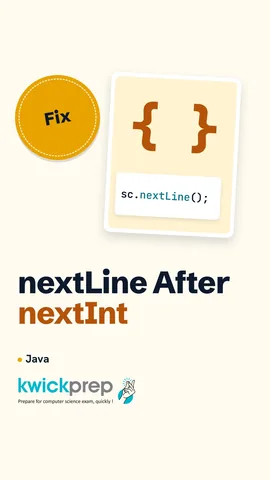 Why does Java skip my name?41 sec
![Reel showing args[0], args[1] and args.length for java Greet Riya 15.](/images/learn/clips/JV08-R4.webp) Can you give input before the program starts?43 sec
Can you give input before the program starts?43 secThe full lesson, in text
Hello students, welcome to Kwickprep. You type your age, press Enter, and your program prints an empty name. Why? Today we learn three ways data enters a Java program. We will use the Scanner class, find that empty name trap, and pass values from the command line.
A program needs data, like marks or a price, and there are three ways to give it. In initialisation, we write the value inside the code itself. With parameters, one method passes a value into another method when it calls it. With run time input, the user types the value while the program is running.
Here the values are written inside the code. Samosa is fifteen rupees and tea is ten rupees, so it prints twenty five. This is simple, but the answer is always the same. To change the bill, we must edit the program and compile it again.
A parameter is a variable in a method's brackets that receives a value. Here the method show has one parameter, amt, short for amount. Main calls show with two hundred fifty. So amt receives two hundred fifty, and it prints Pay two hundred fifty. The same method can be called again with a different amount.
For run time input, we use a ready-made class called Scanner. A package is a folder of ready-made classes, and Scanner lives in the package java dot util. So the first line of the program imports it. When we create the Scanner, we give it System dot in, which means the keyboard. We create one Scanner object and use it for every input.
Here is a complete program. Scanner sc equals new Scanner of System dot in creates the object, named sc. Then sc dot nextInt waits for the user to type a whole number. If the user types eighty two and presses Enter, marks becomes eighty two. The program prints Got eighty two.
Scanner has a separate method for each kind of data. Suppose the user types forty five point five, a space, and Riya. Next int reads a whole number, so here it stops with an error called InputMismatchException. Next double reads a decimal number, so it gets forty five point five. Next reads one word and stops at the first space. Next line reads everything up to the end of the line.
Pause and predict. The user types Riya Shah on one line and presses Enter. Word uses next, and rest uses next line. What prints? First line, Riya, because next stops at the space. Second line, a space and then Shah, because next line picks up whatever is left on that line.
Now the famous trap. The user types fifteen and presses Enter. Pressing Enter also puts an invisible new line character in the input. Next int takes fifteen but leaves that new line behind. Then next line finds the new line at once, and returns an empty string. The user never gets a chance to type the name, and the length prints zero.
Fix one is simple. After next int, call sc dot nextLine once and ignore it, to throw away the leftover new line. Then the real next line reads the name correctly. Fix two avoids the trap completely. Read every value as a whole line, then change the text into a number with Integer dot parseInt.
There is one more way to give input before the program even starts. Command line arguments are values we type after the class name when we run the program. Java puts them into the array in main's brackets, usually named args. Every argument arrives as a String, even if it looks like a number. So to do maths, we convert it with Integer dot parseInt.
We run the class Greet with two values, Riya and fifteen. Inside main, args zero is Riya, and args one is the text fifteen. Parse int turns that text into the number fifteen. The program prints Riya fifteen. If we run it with no values, args zero does not exist, and Java stops with ArrayIndexOutOfBoundsException.
Older textbooks also use another input method, so you should recognise it. It joins two classes, BufferedReader and InputStreamReader, from the package java dot io. Its readLine method reads one full line as a String. For numbers, we again convert with Integer dot parseInt. Its main method must also deal with an error called IOException, often by writing throws IOException.
Let us compare them. Initialisation is best when a value never changes, like the number of days in a week. Parameters are best when one method is reused with many values. Scanner is best when the user must type data while the program runs. Command line arguments are handy for giving a few values at the start.
Let us recap. Data enters a program by initialisation, parameters or run time input. For input, import java dot util dot Scanner and create a Scanner on System dot in. Use next int, next double, next and next line for the right kind of data. After next int, call next line once before reading text. Command line arguments arrive as Strings in the args array.
Courses that teach this
| Course | Unit |
|---|---|
| ICSE Class 9 Computer Applications | Input in Java |
| ICSE Class 10 Computer Applications | Revision of Class IX Syllabus |
| ISC Class 12 Computer Science (868) | Arrays and Strings |
Voice-over in this lesson is AI-generated. The script is written and checked by Kajal Ma'am. Boards can revise a syllabus mid-year, so confirm anything you plan around against the official board circular. Keep your passwords, OTPs and ID numbers to yourself — we never ask for them. To reach Kajal Ma'am, use the WhatsApp button; sharing your number there is how we call you back.
Free to watch, no sign-up. Live classes with Kajal Ma'am are the paid course; these lessons stay free either way.