

KwickClips Course Topics
Course Topics: 252 short revision clips (page 2)
One idea per clip, with the answer written out underneath. Each clip links back to the full Course Topics lesson it came from.
 Where is the fill handle?41 sec
 What sets the step of a series?45 sec
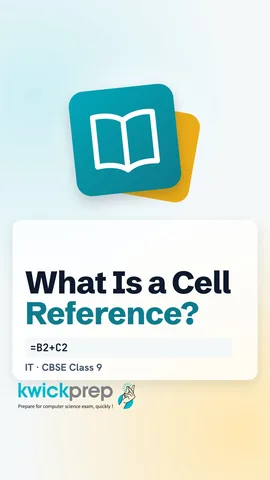 What is a cell reference?44 sec
 What does $B$2 lock?42 sec
 Does a chart update when data changes?39 sec
 Which chart shows a trend?44 sec
 What two things matter most on a slide?41 sec
 Is LibreOffice Impress free?44 sec
 Where is the slides pane in Impress?40 sec
 What do you do before adding an animation?41 sec
 What is the shortcut for centre alignment?42 sec
 Where do you edit the master slide?41 sec
 What is a style?42 sec
 What does the bucket icon do?40 sec
 How do you show the Drawing toolbar?40 sec
 How do you keep the ratio while resizing?41 sec
 What do you do first before positioning an image?44 sec
 Which tool decides how text flows around a picture?43 sec
 What does a ToC use to find headings?41 sec
 Why is my new heading missing?45 sec
 Which tool joins data from many sheets?41 sec
 Which menu has Consolidate?45 sec
 Why can subtotals come out wrong?43 sec
 Why link instead of copying?43 sec
 How do you rename a sheet?43 sec
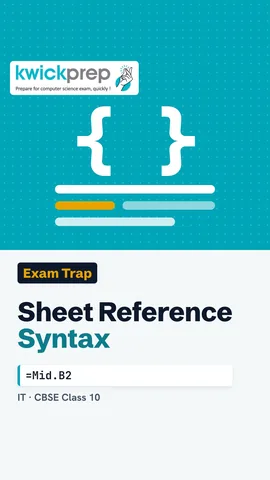 How do you refer to cell B2 on sheet Mid in Calc?38 sec
 How do you open a hyperlink in Calc?42 sec
 Why did my link break at school?41 sec
 Which shortcut creates a hyperlink?42 sec
 What problem does sharing solve?41 sec
 What shortcut records changes?44 sec
 Is a hazard the same as a risk?40 sec
 An overloaded socket is which type of hazard?43 sec
 How far should the screen be?42 sec
 What do you do first when a printer jams?42 sec
 Is stress a workplace hazard?44 sec
 Can most office accidents be prevented?43 sec
 Is every accident an emergency?41 sec
 What does a safety policy tell you?40 sec
 What usually causes a trip?43 sec
 What number do you call if the injury is serious?42 sec
 What kind of software is Writer?44 sec
 Which shortcut inserts a table in Writer?44 sec
 What does Impress make?44 sec
 Are animation and transition the same?41 sec
 What do you get after paying?42 sec
 What does G2C mean?47 sec
 What proof do you get for a bill payment?43 sec
Disclaimer. KwickAcademy is free study material for general learning and revision. Parts of it, including the voice-over, are produced with the help of AI tools and may contain errors; if you spot one, please tell us and we will correct it. Syllabus, marks and exam details follow the latest official board publications available to us, and boards can change them at any time, so always confirm against your board's official website and your school. Using this material does not guarantee any marks or result. Board names and trademarks belong to their owners; Kwickprep is not affiliated with or endorsed by any examination board. We never ask for passwords, OTPs or ID numbers. Your progress is saved only in this browser. Full disclaimer · Privacy