

KwickAcademy Course Topics · 6 min · free
List and Table Handling – ordered/unordered lists and tables
Learn HTML lists (ul, ol, dl) and tables (table, tr, th, td), with type, start, border, cellpadding, colspan and rowspan. ul gives bullets, ol gives numbers, and table, tr, th and td build a table.
Follows the syllabus of: GSEB Std 10 Computer Studies
On screen in this lesson
Three kinds of lists
| List | Tag | Items show |
|---|---|---|
| Unordered | ul | bullets |
| Ordered | ol | numbers, letters |
| Description | dl | term and meaning |
ol: type and start
| Attribute | Value | Shows |
|---|---|---|
| type | 1 | 1, 2, 3 |
| type | A or a | A, B or a, b |
| type | I or i | I, II or i, ii |
| start | 5 | begins at 5 |
Pause and predict
| <ol type="A" start="3"> |
| It has two li items |
| What labels will they get? |
Table tags at a glance
| Tag | Stands for | Makes |
|---|---|---|
| table | table | whole table |
| tr | table row | one row |
| th | table heading | bold header cell |
| td | table data | normal cell |
| caption | caption | title of table |
Table attributes
| Attribute | Used in | Does |
|---|---|---|
| border | table | line thickness |
| cellpadding | table | space inside cell |
| cellspacing | table | gap between cells |
| width | table, td | size |
| bgcolor | table, tr, td | background colour |
Colspan or rowspan?
| colspan: cell spreads sideways, across columns |
| rowspan: cell spreads downward, across rows |
| The merged cell replaces the cells it covers |
| Count cells in every row to check your table |
Quick answers
An ol list has type="A" and start="3". What labels do two items get?
C and D.
What does colspan do?
It spreads a cell sideways across columns.
KwickClips from this lesson
Short clips, one idea each. Good for revision the night before.
The full lesson, in text
Hello students, welcome to Kwickprep. Your school timetable is a table, and your shopping list is a list. How do we show both on a web page? Today we will learn ordered lists, unordered lists, description lists, and tables in HTML.
HTML has three kinds of lists. An unordered list uses the ul tag, and its items show bullets, because order does not matter. An ordered list uses the ol tag, and its items show numbers or letters, because order matters. A description list uses the dl tag, and it shows a term with its meaning.
Here is an unordered list of things to carry to school. The ul tag starts the list and closes it. Each item goes inside the li tag, short for list item. The browser shows a bullet, a small dot, before each item.
You can change the bullet shape with the type attribute. Type disc gives a filled circle, which is the default. Type circle gives a hollow circle. Type square gives a small filled square. Modern pages usually set this with CSS, but textbooks still teach the type attribute.
When the order matters, use an ordered list with the ol tag. Here are the steps of a morning routine. Items still go inside li tags. The browser numbers them one, two and three by itself.
The ordered list has two useful attributes. Type one, the default, gives normal numbers. Type capital A or small a gives letters. Type capital I or small i gives Roman numbers. The start attribute sets the first number, so start equals five begins counting at five.
Pause and predict. The ordered list has type capital A and start equals three. It has two list items. What labels will they get? The start value is always a number, so three means the third letter. The items get C and D.
A description list shows terms with their meanings, like a glossary. The dl tag holds the whole list. The dt tag holds the term, here CPU. The dd tag holds its description, shown slightly indented. Also remember, a list can be placed inside an li of another list. This is called a nested list.
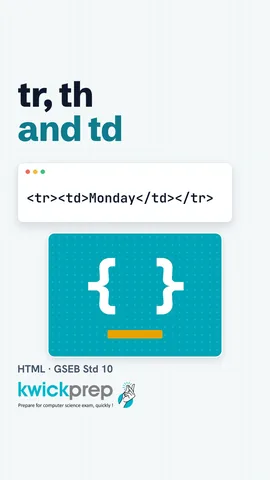
Now, tables. A table arranges data in rows and columns, like a timetable. The table tag holds the whole table, and border equals one draws lines. The tr tag makes one table row. The th tag makes a heading cell, shown bold and centred. The td tag makes a normal data cell.
Let us list the table tags together. The table tag makes the whole table. Tr, table row, makes one row. Th, table heading, makes a bold header cell. Td, table data, makes a normal cell. Caption gives a title, and it is written just after the opening table tag.
Your textbook teaches these table attributes. Border sets the thickness of the lines. Cellpadding is the space between a cell's text and its edge. Cellspacing is the gap between two cells. Width sets the size, in pixels or percent. Bgcolor sets a background colour. Modern pages do this with CSS, but these attributes still work in browsers.
Sometimes one cell must cover more than one column. The colspan attribute joins cells across columns. Here, the heading Marks spreads over two columns. In the same way, rowspan joins cells down across rows. Rowspan equals three makes one cell three rows tall.
Students often mix up these two, so here is a simple rule. Colspan makes a cell spread sideways, across columns. Rowspan makes a cell spread downward, across rows. The merged cell takes the place of the cells it covers, so write fewer td tags in those rows. Count the cells in every row to check that your table is correct.
How do you choose? Steps of a recipe need an ordered list, because the order matters. Things to pack for a trip need an unordered list, because any order is fine. Marks of many students in many subjects need a table, because the data has rows and columns.
Let us revise what we learned today. Ul gives bullets and ol gives numbers, and every item goes in an li tag. For ol, type and start change the numbering. Dl, dt and dd make a description list. Table, tr, th and td build a table. Colspan joins cells across columns, and rowspan joins cells across rows. Now build your own class timetable as an HTML table.
Courses that teach this
| Course | Unit |
|---|---|
| GSEB Std 10 Computer Studies | Web Development with HTML |
Voice-over in this lesson is AI-generated. The script is written and checked by Kajal Ma'am. Boards can revise a syllabus mid-year, so confirm anything you plan around against the official board circular. Keep your passwords, OTPs and ID numbers to yourself — we never ask for them. To reach Kajal Ma'am, use the WhatsApp button; sharing your number there is how we call you back.
Free to watch, no sign-up. Live classes with Kajal Ma'am are the paid course; these lessons stay free either way.