

KwickAcademy C · 8 min · free
Introduction to C: Structure and Life Cycle of a C Program
A C program has header files, a main function and statements, and it runs after four steps: edit, compile, link and run.
Follows the syllabus of: GSEB Std 10 Computer Studies
On screen in this lesson
What is C?
| A programming language made by Dennis Ritchie |
| Built at Bell Labs, USA, in about 1972 |
| Close to the hardware, yet easy to read |
| Many later languages borrow its style |
Where C is used
| Area | Example | Why C |
|---|---|---|
| Operating systems | Linux, Windows | fast, low level |
| Embedded devices | washing machine | small memory |
| Language tools | Python itself | speed |
| Databases | MySQL | speed |
| Networking | routers | control |
Part 1: header files
| #include brings in a header file |
| stdio.h = standard input output |
| It declares printf and scanf |
| Lines starting with # are read first |
Part 2: the main function
| A function is a named block of code |
| Every C program starts running at main |
| int main() means main returns a whole number |
| Curly braces { } mark the start and end |
| return 0 tells the system: finished fine |
Part 3: statements
| A statement is one instruction |
| Every statement ends with a semicolon ; |
| C is case sensitive: printf, not Printf |
| // starts a comment the compiler ignores |
Source code to machine code
| Source code: what you type, in a .c file |
| Machine code: 0s and 1s the CPU runs |
| A compiler translates the whole file at once |
Quick answers
Which step makes hello.o?
Compile. Linking then makes the executable.
Why is linking needed?
printf's ready code is in the C library, and the linker joins it to your code.
KwickClips from this lesson
Short clips, one idea each. Good for revision the night before.
 Why is C still used?42 sec
 Where does a C program start running?41 sec
 Which file does compiling make?44 sec
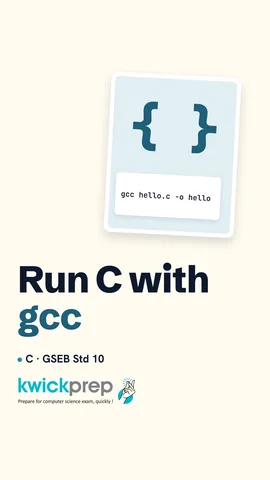 What does gcc do?43 sec
The full lesson, in text
Hello students, welcome to Kwickprep. You type a few lines of C, but the computer only understands zeros and ones. So how does your program ever run? Today we will see where C is used, how a C program is built, and how it travels from your editor to the screen.
Let us begin with a little history. C was created by Dennis Ritchie. He built it at Bell Labs in America, around the year nineteen seventy two. C works close to the hardware, which means it can control memory directly, but it is still readable. Java, C plus plus and many other languages borrow its style, so learning C helps you everywhere.
C is still used in many places today. Operating systems like Linux and parts of Windows are written in C, because it is fast. Embedded devices, like the tiny chip inside a washing machine, use C because they have very little memory. The main version of Python itself is written in C. Databases such as My S Q L use C for speed. Routers that send your internet data also run C code.
Here is a complete C program. It has only five lines, but every line has a job. When it runs, it prints Hello, Kwickprep. Now let us study each part one by one.
The first line is a header line. Hash include tells C to bring in a header file before compiling. The file s t d i o dot h stands for standard input output. It tells the compiler about printf and scanf, which we use to print and read data. Any line starting with a hash is handled first, by a step called the preprocessor.
The second part is the main function. A function is a named block of code that does one job. Every C program starts running from main, so a program without main cannot run. The word int before main means main gives back a whole number when it finishes. The opening and closing curly braces mark where main starts and ends. Return zero tells the operating system that the program finished without any problem.
The third part is the statements inside main. A statement is one instruction, like print this line. Every statement in C ends with a semicolon, just like a full stop ends an English sentence. C is case sensitive, so small printf works, but Printf with a capital P gives an error. Two slashes start a comment, a note for humans that the compiler ignores.
Statements run from top to bottom, one after another. Look at the backslash n at the end of each message. Backslash n means new line, so the next output starts on a fresh line. So this program prints Roll twelve, and then Name Riya on the next line. Without backslash n, both would join on one line.
Now the life cycle of a C program. Source code is the program you type, saved in a file ending with dot c. Machine code is zeros and ones, the only language the processor understands. A compiler is a program that translates the whole source file into machine code in one go. Python uses an interpreter instead, but C always uses a compiler.
Here are the four steps drawn as a flowchart. First, we edit, which means we type the program and save it as hello dot c. Next, we compile, and the compiler makes an object file, hello dot o. The compiler checks for errors. If there are errors, we go back and edit. Then the linker joins our code with library code and makes the final program file. Finally, we run it and see the output.
Exams often ask which step makes which file, so learn this table. Editing is done in an editor, and it makes the source file, hello dot c. Compiling is done by the compiler, and it makes the object file, hello dot o. Linking is done by the linker, and it makes the executable file, hello dot e x e on Windows. Running is done by the loader, which puts the program in memory for the processor.
Why is linking a separate step? We used printf, but we never wrote the code for printf. That ready made code lives in the C standard library. The linker joins our object file with the library code. The result is one executable file, which means a file the computer can run directly.
Errors can appear at different steps. A syntax error is caught while compiling, for example a missing semicolon. A linker error appears while linking, for example if you spell main as mian, so the linker cannot find main. A run time error happens only while the program runs, for example dividing a number by zero.
Let us write and run the first program ourselves. G C C is a free C compiler. In the terminal, type g c c hello dot c, dash o, hello. This one command compiles and links, and makes a program named hello. Then type dot slash hello to run it, and you see Hello, Kwickprep. On Windows, an app like Code Blocks or Dev C plus plus does the same with a single Build and Run button.
Pause and predict. There are two printf statements here. Will the output come on one line or two lines? Look carefully. The first message has no backslash n, only a space at the end. So both words print on the same line, Good Morning.
Let us revise what we learned today. C is used in operating systems, embedded devices, compilers and databases. A C program has header files, the main function and statements. Every statement ends with a semicolon. The life cycle has four steps, edit, compile, link and run. And the files go from dot c, to dot o, to the executable. Type the hello program yourself today and run it.
Courses that teach this
| Course | Unit |
|---|---|
| GSEB Std 10 Computer Studies | Programming Fundamentals & C Language |
| Programming All levels C | Introduction to C and Program Structure |
Voice-over in this lesson is AI-generated. The script is written and checked by Kajal Ma'am. Boards can revise a syllabus mid-year, so confirm anything you plan around against the official board circular. Keep your passwords, OTPs and ID numbers to yourself — we never ask for them. To reach Kajal Ma'am, use the WhatsApp button; sharing your number there is how we call you back.
Free to watch, no sign-up. Live classes with Kajal Ma'am are the paid course; these lessons stay free either way.