

KwickCards Python
Python: 33 revision cards
Every card below is written out in full underneath its picture, so you can read it, search it and copy from it. Free, no sign-up.
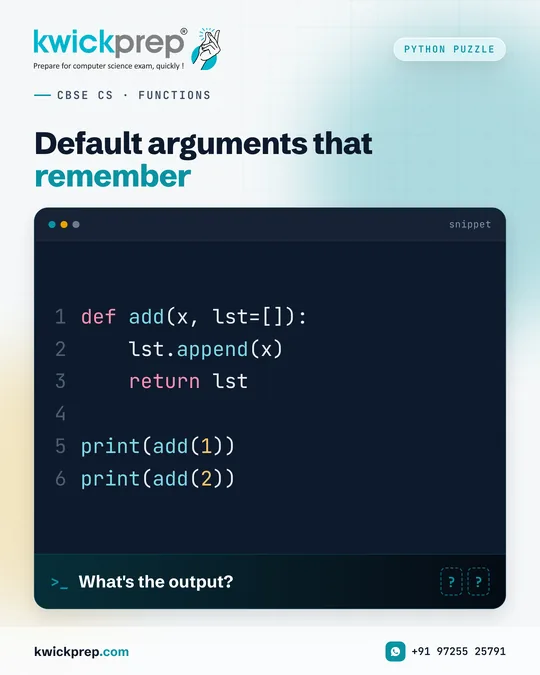
CBSE CS · FUNCTIONS
Default arguments that remember
What's the output?
def add(x, lst=[]):
    lst.append(x)
    return lst

print(add(1))
print(add(2))
Most students answer [1] and [2]. Python disagrees.
Output:
[1]
[1, 2]
Why? A default value is created only once, when the function is defined. A mutable default like a list is shared across every call, so the second call appends to the same list. The safe pattern is lst=None, then create a new list inside the function. Functions carry solid weight in Unit I, so tricks like this are worth practising.
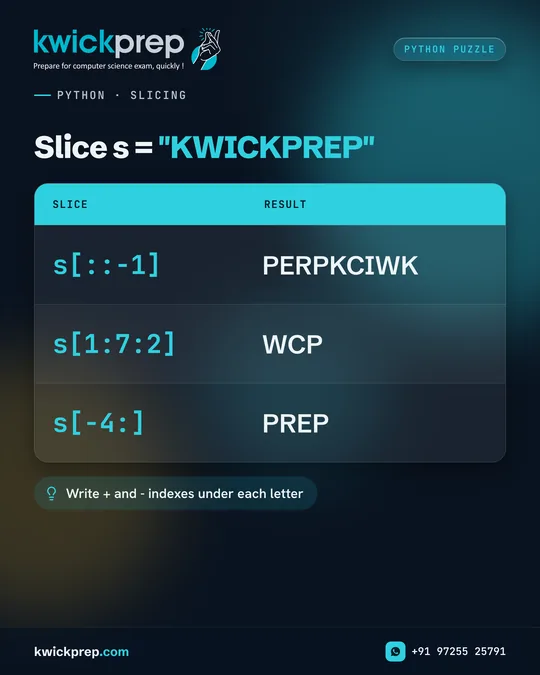
PYTHON · SLICING
Slice s = "KWICKPREP"
| Slice | Result |
|---|---|
| s[::-1] | PERPKCIWK |
| s[1:7:2] | WCP |
| s[-4:] | PREP |
Write + and - indexes under each letter
Slicing questions look easy until the step changes.
s[::-1] reverses the whole string, giving PERPKCIWK. s[1:7:2] starts at index 1 and takes every second character before index 7: W, C, P. s[-4:] takes the last four characters, PREP. Tip: write the index numbers under each letter in rough work before answering, both positive and negative. It removes guesswork in the exam hall.
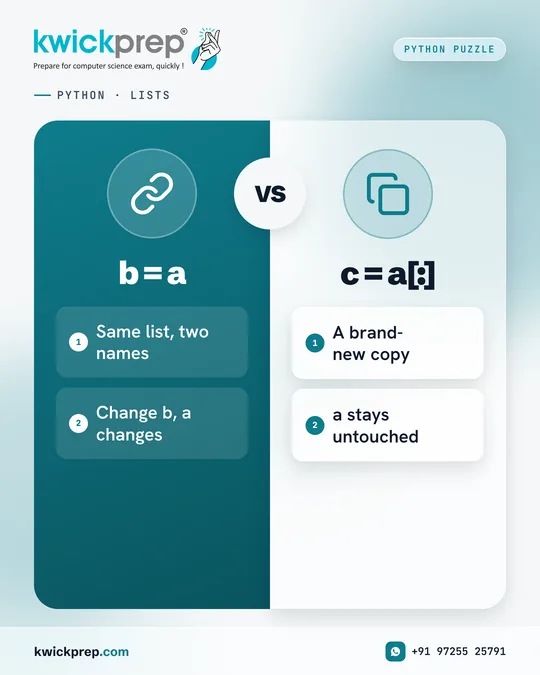
PYTHON · LISTS
b = a
- Same list, two names
- Change b, a changes
c = a[:]
- A brand-new copy
- a stays untouched
b = a does not copy a list. It shares it.
Take a = [1, 2, 3]. b = a makes b another name for the same list object, so b.append(4) changes a too: a becomes [1, 2, 3, 4]. c = a[:] creates a new (shallow) copy, so c.append(5) leaves a untouched. This single idea explains many aliasing questions in Class 11 and 12 papers.

PYTHON · SCOPE
- global keyword
- Lets a function update the global variable instead of creating a new local one.
Exampleglobal x; x = x + 5
Scope questions reward careful reading, not speed.
Without the global keyword, assigning to x inside a function creates a new local x that disappears when the function ends. Declare global x first, and x = x + 5 updates the variable outside the function instead. So if x starts at 10, it becomes 15 for the whole program. When tracing, keep two columns in rough work: global values and local values. It keeps each function call clean.
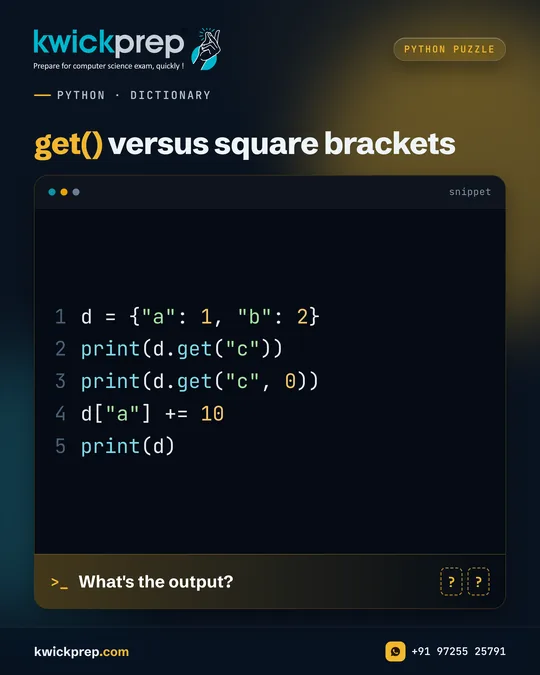
PYTHON · DICTIONARY
get() versus square brackets
What's the output?
d = {"a": 1, "b": 2}
print(d.get("c"))
print(d.get("c", 0))
d["a"] += 10
print(d)
d['c'] crashes. d.get('c') does not.
Output:
None
0
{'a': 11, 'b': 2}
get() returns None for a missing key, or the default you pass as the second argument. Square brackets on a missing key raise KeyError. Updating an existing key with += changes its value in place. Use get() whenever a key may not exist, such as when counting frequencies of words or characters.
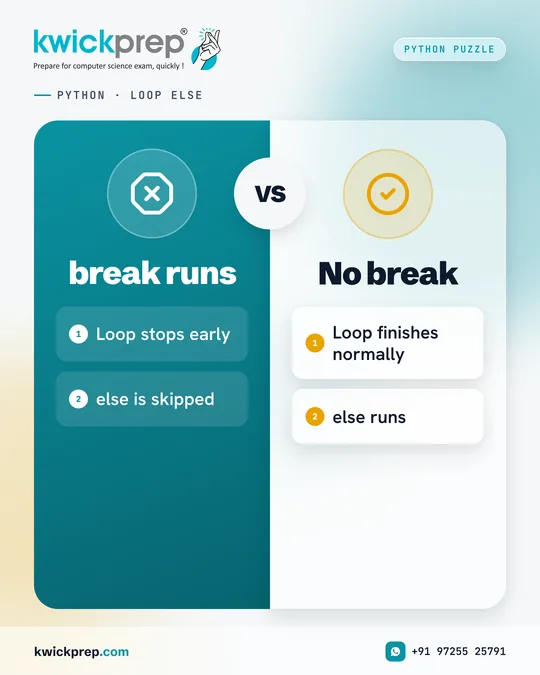
PYTHON · LOOP ELSE
break runs
- Loop stops early
- else is skipped
No break
- Loop finishes normally
- else runs
Yes, a for loop can have an else. Here is when it runs.
The else attached to a loop runs only if the loop finishes without hitting break. If break executes, the else block is skipped completely. A common use is searching: break when the item is found, and put the 'not found' message in else. Also check the stop value of range carefully, because range(5, 8) never reaches 8, which can decide whether break ever runs.
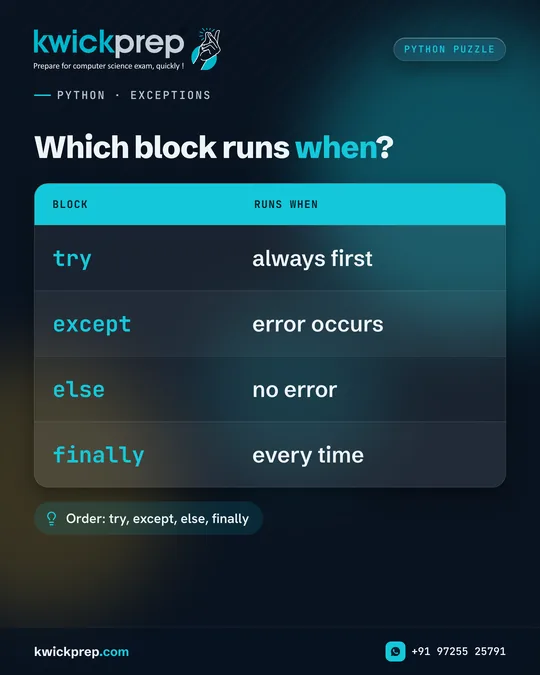
PYTHON · EXCEPTIONS
Which block runs when?
| Block | Runs when |
|---|---|
| try | always first |
| except | error occurs |
| else | no error |
| finally | every time |
Order: try, except, else, finally
Exception handling is easy marks if you know the order.
try runs first. If an error occurs, such as int('12a') raising ValueError, control jumps to the matching except block and the rest of try is skipped. else runs only when no exception occurs. finally runs every time, error or not. Remember the order: try, except, else, finally. Examiners like asking which blocks execute.
Save this post for revision and share it with a classmate preparing for the same exam.
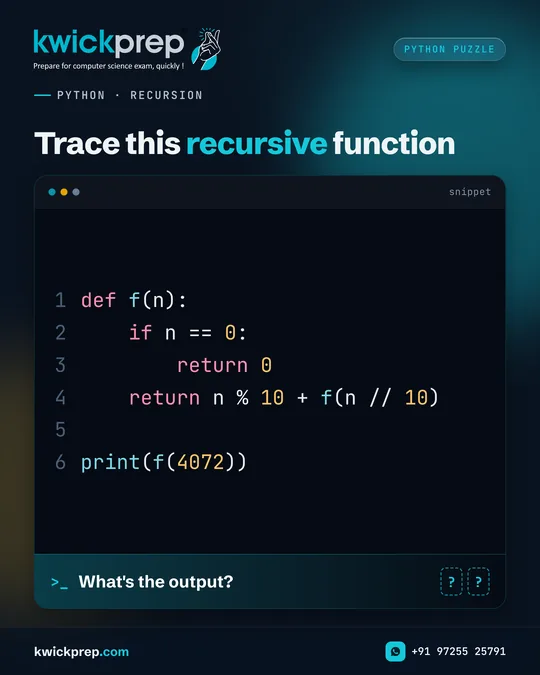
PYTHON · RECURSION
Trace this recursive function
What's the output?
def f(n):
    if n == 0:
        return 0
    return n % 10 + f(n // 10)

print(f(4072))
Recursion becomes simple once you trace it on paper.
Output: 13
f(4072) = 2 + f(407) = 2 + 7 + f(40) = 2 + 7 + 0 + f(4) = 2 + 7 + 0 + 4 + f(0) = 13. The function adds the digits of a number. Every recursive function needs a base case (n == 0 here) that stops the calls. Write each call on a new line while tracing and the answer appears on its own.
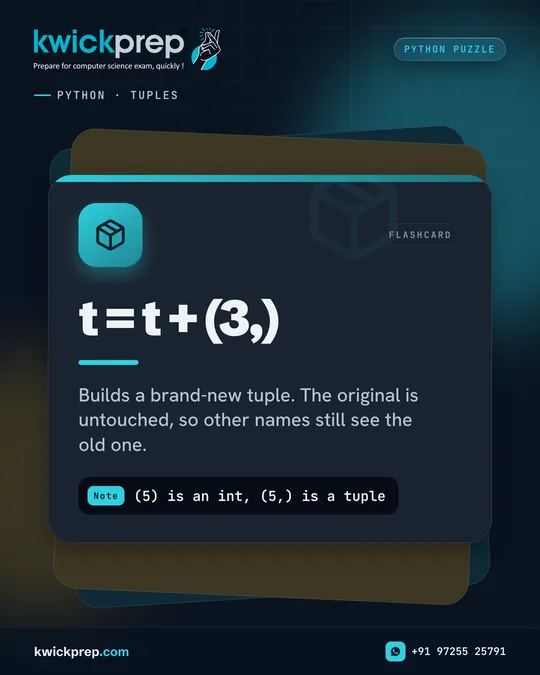
PYTHON · TUPLES
- t = t + (3,)
- Builds a brand-new tuple. The original is untouched, so other names still see the old one.
Note(5) is an int, (5,) is a tuple
Tuples are immutable. So how can t = t + (3,) work?
If t is (1, 2), then t + (3,) builds a brand-new tuple (1, 2, 3) and the name t now points to it. The original tuple is untouched, so any other name that referred to it still sees (1, 2). Also note: (5) is just the integer 5 in brackets. A single-element tuple needs a trailing comma, (5,). This comma question appears often in objective sections.
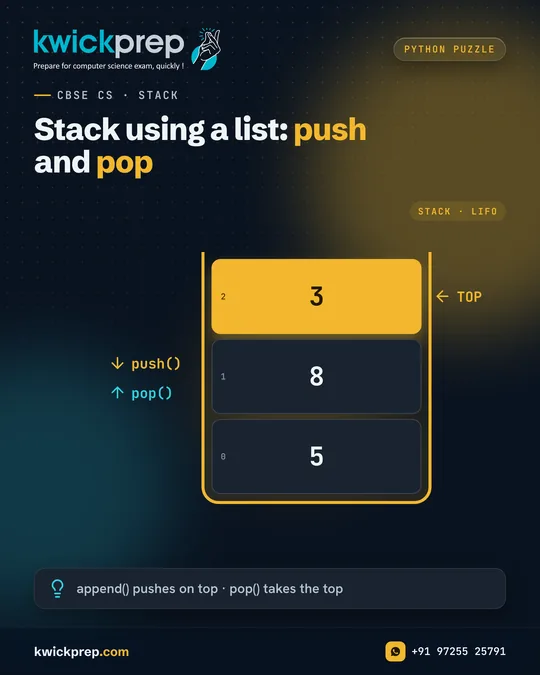
CBSE CS · STACK
Stack using a list: push and pop
- 5
- 8
- 3
append() pushes on top · pop() takes the top
Stack programs are a regular in Class 12 CS papers.
A stack follows LIFO: Last In, First Out. append() pushes to the top (end of the list) and pop() removes from the top. Push 5, 8 and 3, and 3 sits on top, so pop() returns 3. Push 9 next and it becomes the new top, and stack[-1] peeks at it without removing. Practise writing push, pop and display as separate functions, with an empty-stack check.
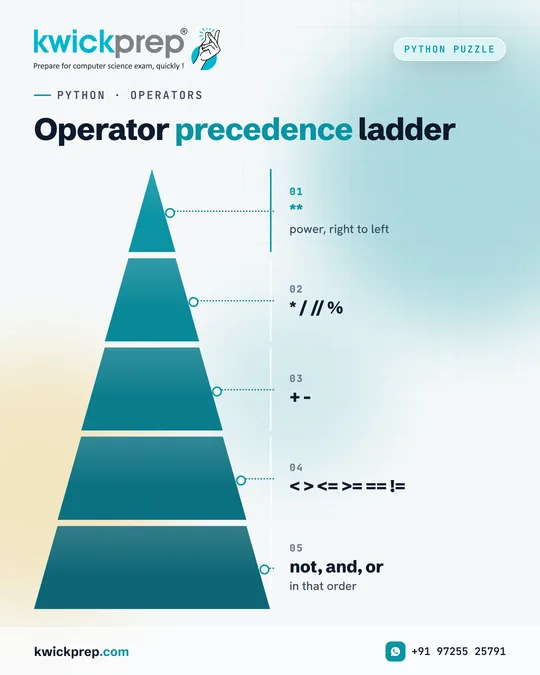
PYTHON · OPERATORS
Operator precedence ladder
- **
- * / // %
- + -
- < > <= >= == !=
- not, and, or
Precedence decides the answer before you calculate anything.
2 + 3 * 4 ** 2 // 5 gives 11: 4**2 = 16, 3*16 = 48, 48//5 = 9, then 2 + 9. ** is right-associative, so 2 ** 3 ** 2 is 2 ** 9 = 512. Comparisons come after arithmetic, and the logical operators come last: not first, then and, then or. So not 0 and 5 or 9 gives 5. Floor division rounds down, so -7 // 2 is -4. Learn this ladder once and it pays back every exam.
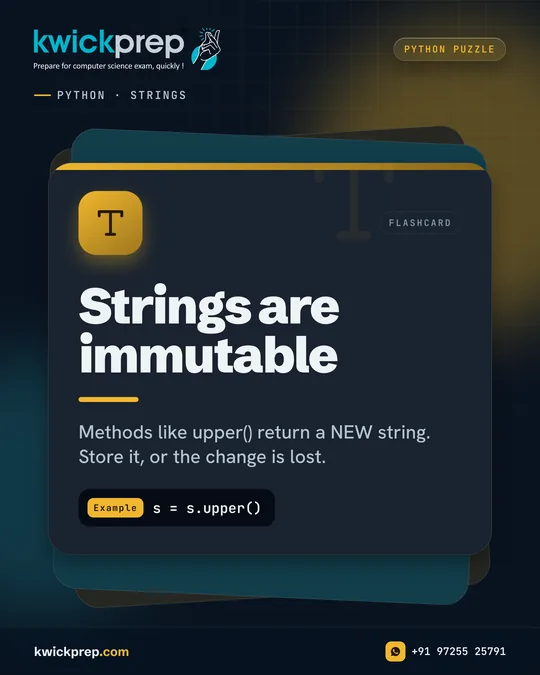
PYTHON · STRINGS
- Strings are immutable
- Methods like upper() return a NEW string. Store it, or the change is lost.
Examples = s.upper()
Why doesn't s.upper() on its own change the string?
Strings are immutable. upper() returns a new string, and if you do not store it, the change is lost. The same is true for lower(), title(), replace() and strip(). To keep the change, assign it back: s = s.upper(). Methods such as find() and count() do not change anything either; they only return a number. This one idea answers many string output questions.
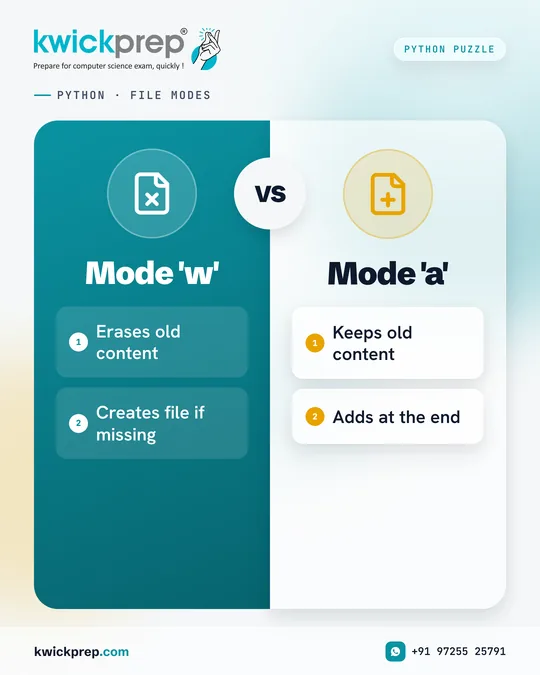
PYTHON · FILE MODES
Mode 'w'
- Erases old content
- Creates file if missing
Mode 'a'
- Keeps old content
- Adds at the end
One letter in open() can wipe your data.
Mode 'w' creates the file or erases existing content, so writing CS and then opening again with 'w' to write IP leaves only IP. Mode 'a' adds at the end, so appending AI keeps IP. readlines() then returns ['IP\n', 'AI\n'], each line with its newline character. Using with closes the file automatically. Know r, w, a, r+, w+ and a+ clearly for file-handling questions.
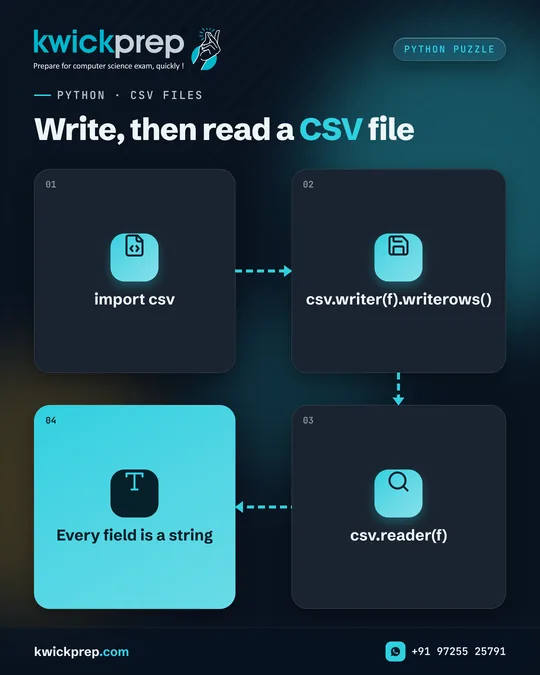
PYTHON · CSV FILES
Write, then read a CSV file
- import csv
- csv.writer(f).writerows()
- csv.reader(f)
- Every field is a string
Wrote marks as numbers? csv.reader still gives them back as strings.
csv.writer(f).writerows() writes many rows at once, and writerow() writes one. Open the file with newline='' while writing to prevent blank lines between rows on some systems. When you read the file back, csv.reader returns every field as a string, even 91. To calculate with marks, convert them using int(r[1]). CSV programs appear regularly in Class 12 CS, so practise both reading and writing.
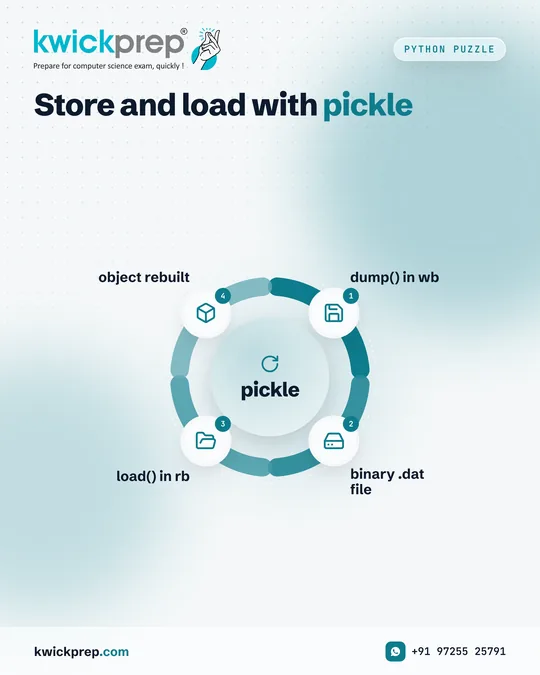
Python Puzzle
Store and load with pickle
pickle
- dump() in wb
- binary .dat file
- load() in rb
- object rebuilt
Binary files keep your Python objects exactly as they were.
pickle.dump() serialises an object into a binary file and pickle.load() reads it back as the same type. Store a dictionary, and you get a dictionary back. Binary files need 'wb' and 'rb' modes. When a file holds many records, read them in a loop inside try and stop on EOFError. That loop is a common 3 to 5 mark program.
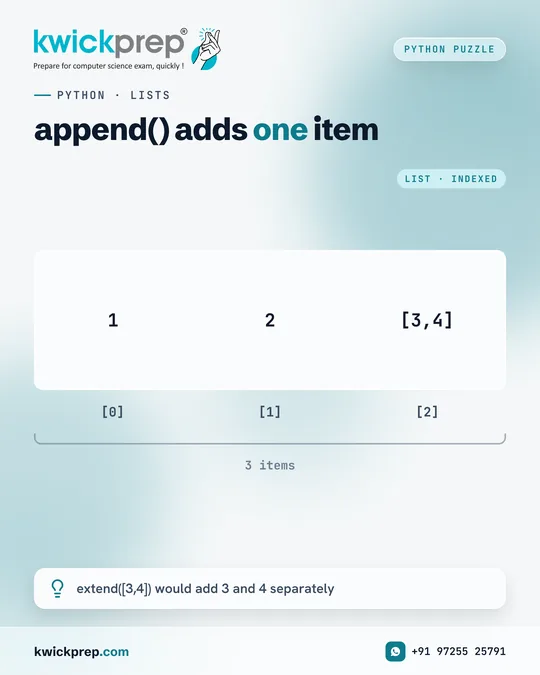
PYTHON · LISTS
append() adds one item
- 1
- 2
- [3,4]
extend([3,4]) would add 3 and 4 separately
Same input, different lengths. Here is why.
append([3, 4]) adds its argument as one single element, so the whole list [3, 4] becomes the third item and the length is 3. extend([3, 4]) adds each element separately, giving [1, 2, 3, 4] with length 4. insert(i, x) places x at a given index. These methods change the list in place and return None, so never write a = a.append(x).
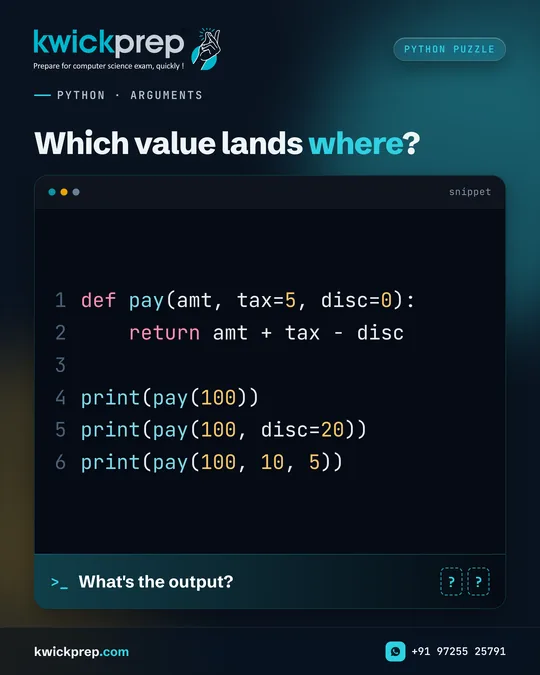
PYTHON · ARGUMENTS
Which value lands where?
What's the output?
def pay(amt, tax=5, disc=0):
    return amt + tax - disc

print(pay(100))
print(pay(100, disc=20))
print(pay(100, 10, 5))
Know which value lands in which parameter.
Output:
105
85
105
pay(100) uses both defaults: 100 + 5 - 0. pay(100, disc=20) keeps tax at 5 and sets disc by keyword: 100 + 5 - 20. pay(100, 10, 5) fills parameters by position: 100 + 10 - 5. Rule to remember: default parameters must come after non-default ones in the definition, otherwise Python gives a SyntaxError.
Quick check: print(pay(100, disc=20)) gives 85.
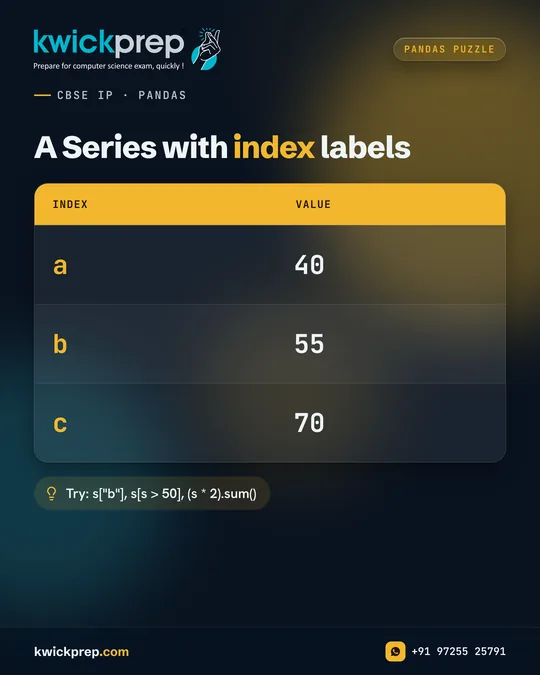
CBSE IP · PANDAS
A Series with index labels
| index | value |
|---|---|
| a | 40 |
| b | 55 |
| c | 70 |
Try: s["b"], s[s > 50], (s * 2).sum()
Series questions are quick marks in IP Unit 1.
Answers to the three tries:
55
[55, 70]
330
s['b'] fetches the value by its label. s[s > 50] is boolean indexing: it keeps only values above 50. Multiplying a Series by 2 applies to every element (vectorised operation), so the sum is 80 + 110 + 140 = 330. Practise head(), tail(), boolean filters and arithmetic between Series with matching indexes.
CBSE IP · PANDAS
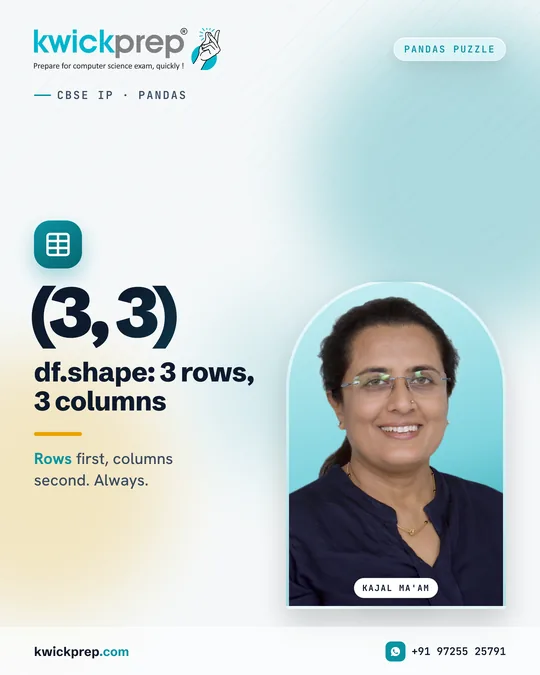
(3, 3) df.shape: 3 rows, 3 columns
Rows first, columns second. Always.
Rows first, columns second. Always.
If a DataFrame has 3 rows and columns Name and Marks, adding df['Grade'] = a list of 3 values makes df.shape (3, 3). shape returns a tuple of (rows, columns), and the list length must match the number of rows. Related attributes to revise: columns, index, size, ndim, dtypes and T for transpose. These one-mark questions add up quickly.
Save this post for revision and share it with a classmate preparing for the same exam.
CBSE IP · PANDAS
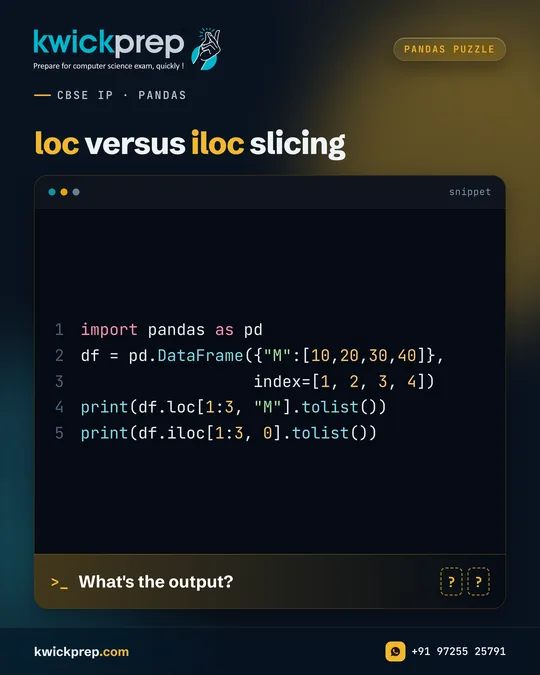
loc versus iloc slicing
What's the output?
import pandas as pd
df = pd.DataFrame({"M":[10,20,30,40]},
                  index=[1, 2, 3, 4])
print(df.loc[1:3, "M"].tolist())
print(df.iloc[1:3, 0].tolist())
loc includes the end. iloc does not.
Output:
[10, 20, 30]
[20, 30]
loc works with labels, and a label slice includes both ends, so labels 1, 2 and 3 are selected. iloc works with integer positions like normal Python slicing, so positions 1 and 2 are selected and position 3 is excluded. This difference is one of the most tested ideas in IP Unit 1.
Pandas Puzzle
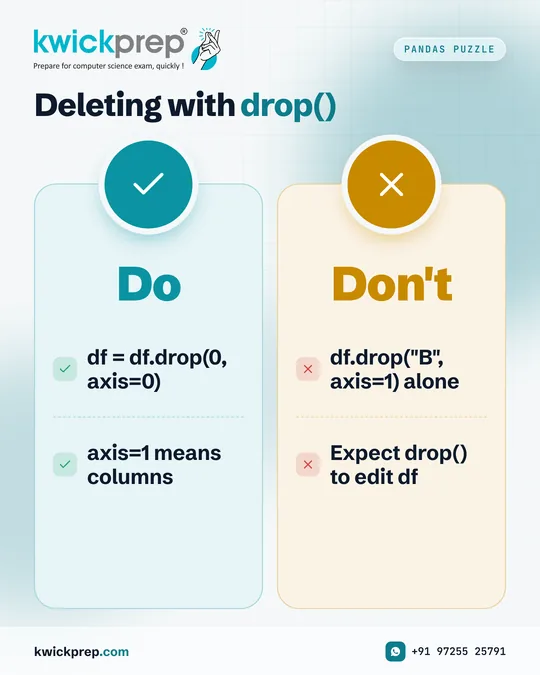
Deleting with drop()
Do
- df = df.drop(0, axis=0)
- axis=1 means columns
Don't
- df.drop("B", axis=1) alone
- Expect drop() to edit df
Called drop() and the column is still there? Here is why.
drop() returns a new DataFrame by default. If you write df.drop('B', axis=1) without storing the result, df is unchanged. Assign it back, df = df.drop('B', axis=1), to keep the change. axis=1 means columns and axis=0 means rows. You can also use inplace=True, but assigning back is clearer in exam answers.
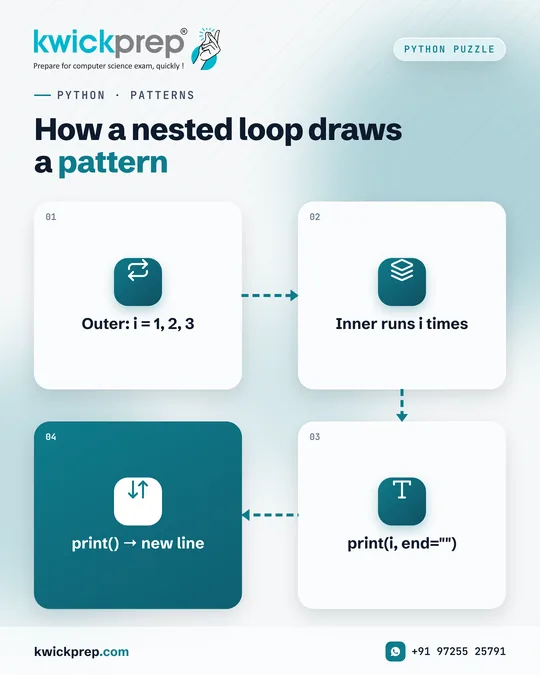
PYTHON · PATTERNS
How a nested loop draws a pattern
- Outer: i = 1, 2, 3
- Inner runs i times
- print(i, end="")
- print() → new line
Pattern programs test whether you truly understand range().
The outer loop runs i = 1, 2, 3. For each i, the inner loop runs i times and prints i without a newline because of end=''. The empty print() then moves to the next line, so the pattern is 1, 22, 333 on three lines. Print j + 1 instead of i and you get 1, 12, 123. Try predicting it before running.
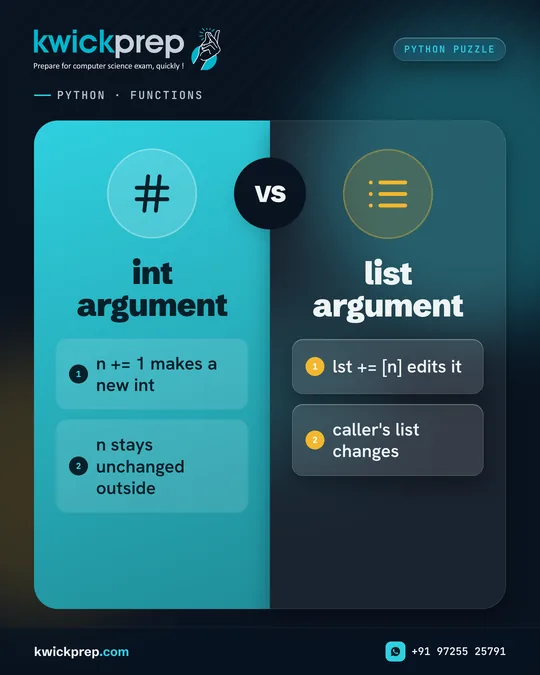
PYTHON · FUNCTIONS
int argument
- n += 1 makes a new int
- n stays unchanged outside
list argument
- lst += [n] edits it
- caller's list changes
Pass an int and a list to the same function. Only one changes.
Suppose a function does n += 1 and lst += [n], and you call it with a = 5 and b = [5]. Integers are immutable, so n += 1 creates a new local integer and a stays 5. Lists are mutable, and lst += [n] extends the same list object that b refers to, so b becomes [5, 6]. This is the practical meaning of mutable versus immutable when passing arguments.
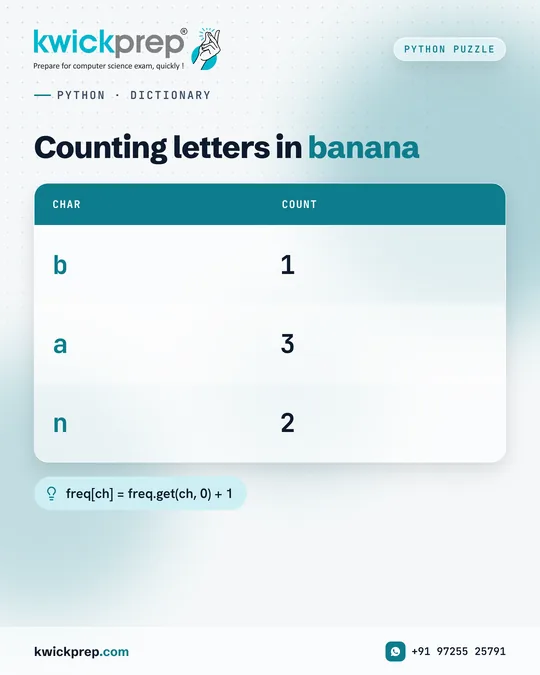
PYTHON · DICTIONARY
Counting letters in banana
| char | count |
|---|---|
| b | 1 |
| a | 3 |
| n | 2 |
freq[ch] = freq.get(ch, 0) + 1
A four-line program that appears in many forms in exams.
For each character in 'banana', get(ch, 0) returns the current count or 0 for a new character, and we add 1. The result is {'b': 1, 'a': 3, 'n': 2}. Dictionaries keep insertion order, so b comes first. max(freq, key=freq.get) returns 'a', the key with the highest value. The same pattern counts words in a text file, a favourite file-handling question.
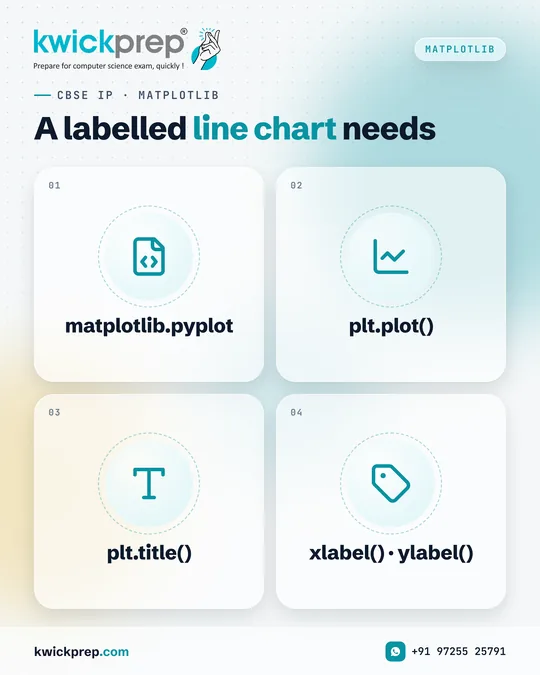
CBSE IP · MATPLOTLIB
A labelled line chart needs
- matplotlib.pyplot
- plt.plot()
- plt.title()
- xlabel() · ylabel()
Plotting questions reward complete, labelled code.
A labelled line chart needs four things: import matplotlib.pyplot as plt, the plot() call with your data, a title() and both axis labels. In the board exam, marks are often given separately for each of these. Finish with show(), or savefig() if the question asks you to save the chart. Also revise legend(), plt.bar() for bar charts and plt.hist() for histograms.
Python Basics
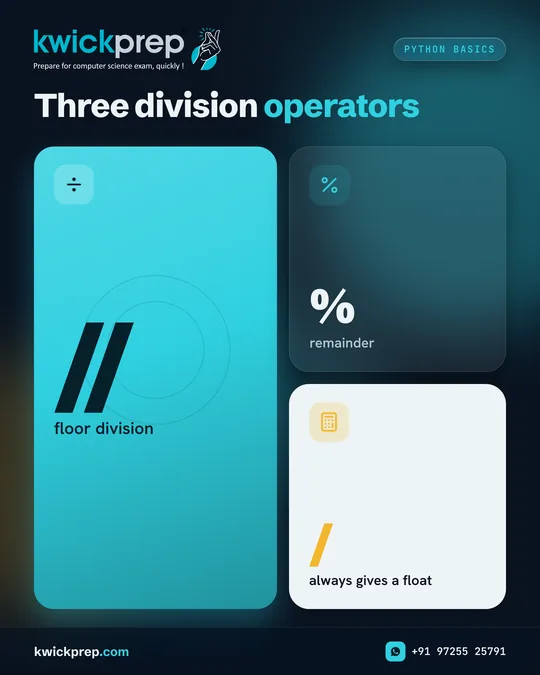
Three division operators
- floor division
- remainder
- always gives a float
Three division operators, three different answers.
Try them on 17 and 5. 17 // 5 is floor division and gives 3. 17 % 5 gives the remainder, 2. 17 / 5 always returns a float in Python 3, so it gives 3.4. A common use: n % 10 gives the last digit of n and n // 10 removes it. You will use both in digit-sum and palindrome programs.
Save this post for revision and share it with a classmate preparing for the same exam.
CBSE IP · PANDAS
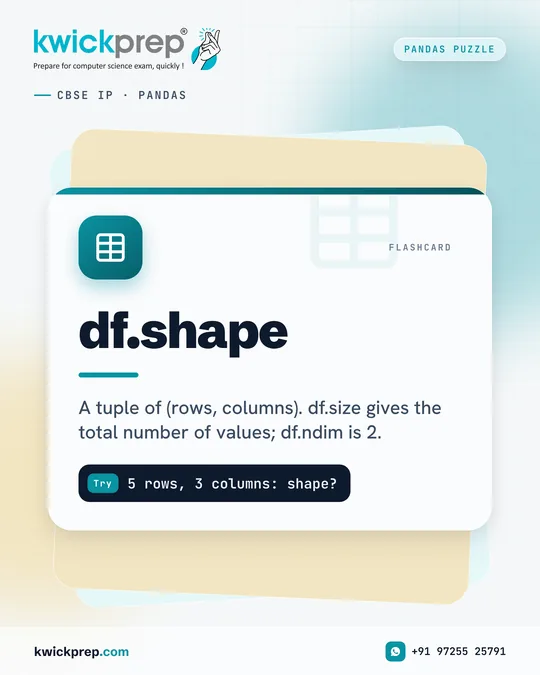
- df.shape
- A tuple of (rows, columns). df.size gives the total number of values; df.ndim is 2.
Try5 rows, 3 columns: shape?
A classic one-mark Pandas question.
Answer: (5, 3).
shape returns a tuple in the order (rows, columns). df.size would return 15, the total number of values, and df.ndim returns 2 for a DataFrame. Revise these attributes together: index, columns, dtypes, shape, size, ndim, empty and T.
Save this post for revision and share it with a classmate preparing for the same exam.
Python Basics
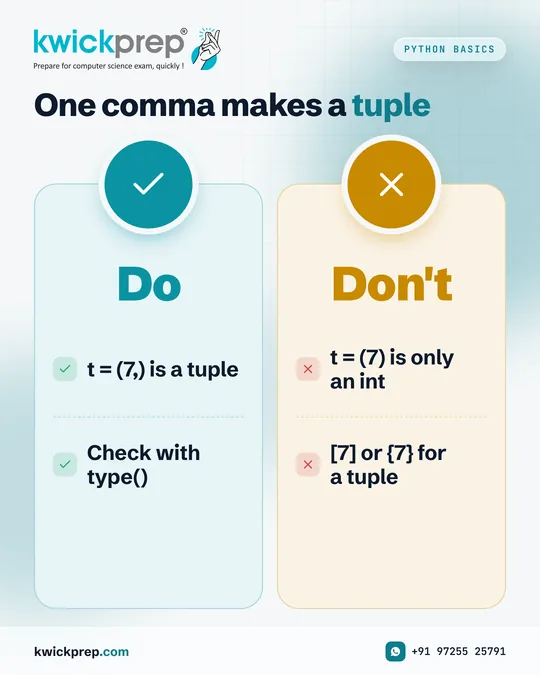
One comma makes a tuple
Do
- t = (7,) is a tuple
- Check with type()
Don't
- t = (7) is only an int
- [7] or {7} for a tuple
One comma decides the data type.
To make a one-item tuple, write t = (7,). (7) is simply the integer 7, because brackets alone only group an expression. The trailing comma makes it a tuple. Do not use [7] or {7} either: [7] is a list and {7} is a set. Check with type() in the Python shell and you will remember it for good.
Save this post for revision and share it with a classmate preparing for the same exam.
CBSE IP · PANDAS
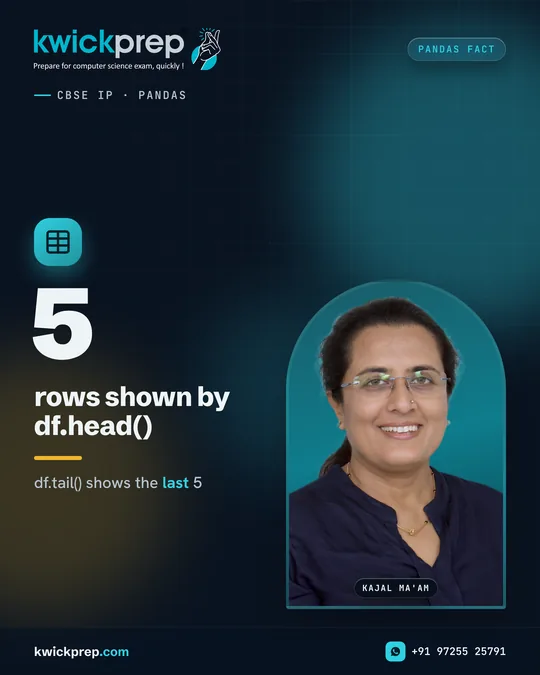
5 rows shown by df.head()
df.tail() shows the last 5
A method you will use in every IP practical.
df.head() returns the first 5 rows, and df.head(n) returns the first n. df.tail() returns the last 5. These are quick ways to inspect a DataFrame after reading a CSV with pd.read_csv(). Examiners also ask what head(-2) returns: all rows except the last two.
Save this post for revision and share it with a classmate preparing for the same exam.
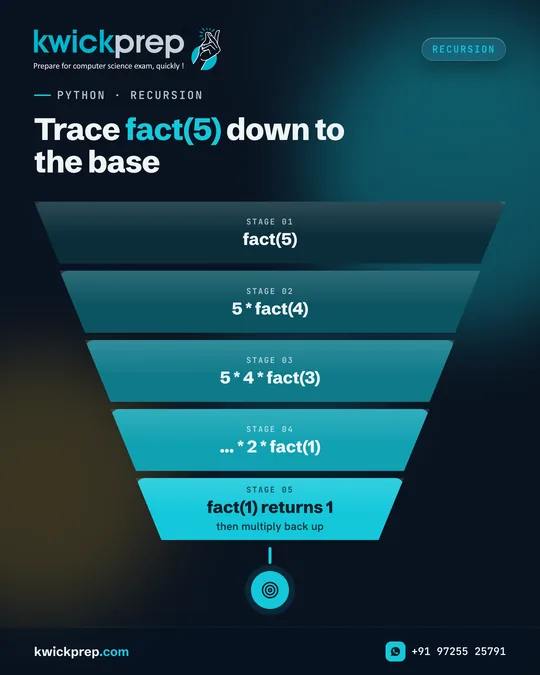
PYTHON · RECURSION
Trace fact(5) down to the base
- fact(5)
- 5 * fact(4)
- 5 4 fact(3)
- ... 2 fact(1)
- fact(1) returns 1
The recursion example everyone should be able to trace.
fact(5) = 5 * 4 * 3 * 2 * fact(1), and fact(1) returns 1, so fact(5) returns 120. Without the base case n <= 1, the function would call itself until Python raises RecursionError. Try writing the same logic with a loop and compare.
Save this post for revision and share it with a classmate preparing for the same exam.

Debugging
Then fix one issue at a time
Every error message is a clue. Read the last line first.
Debugging is a skill, and it can be learnt.
Every error message is a clue. A NameError points to a misspelt or undefined variable, IndentationError to spacing, and TypeError to mismatched types. Adding temporary print statements shows how values change. Testing with edge inputs like 0, an empty string or a negative number reveals hidden bugs before your examiner or viva does.
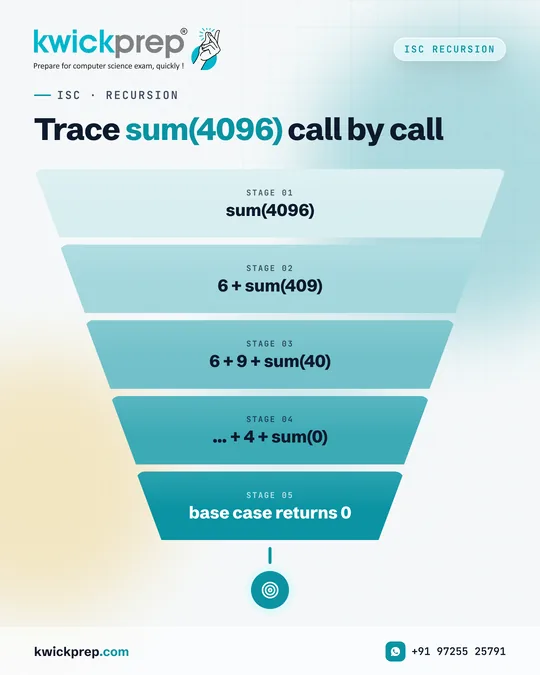
ISC · RECURSION
Trace sum(4096) call by call
- sum(4096)
- 6 + sum(409)
- 6 + 9 + sum(40)
- … + 4 + sum(0)
- base case returns 0
Recursion becomes simple once you trace the calls on paper.
Answer: 19
sum(4096) = 6 + sum(409) = 6 + 9 + sum(40) = 6 + 9 + 0 + sum(4) = 6 + 9 + 0 + 4 + sum(0). The base case returns 0, so the total is 19.
Every recursive method needs a base case that stops the calls, and a recursive call that moves closer to it.
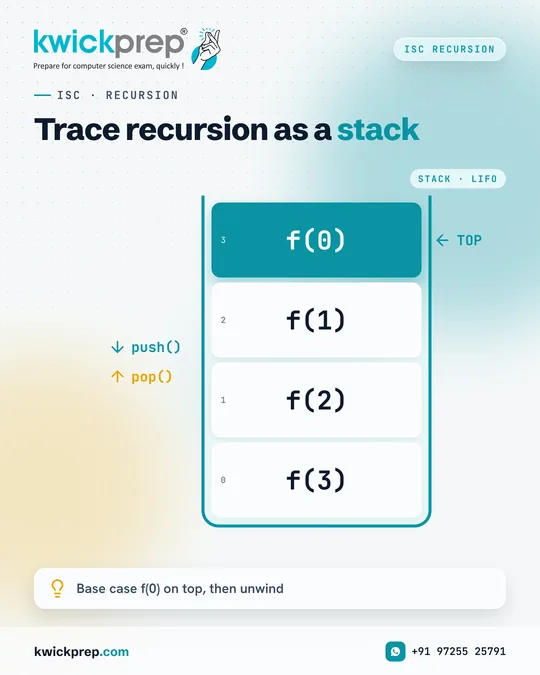
ISC · RECURSION
Trace recursion as a stack
- f(3)
- f(2)
- f(1)
- f(0)
Base case f(0) on top, then unwind
Recursion questions in ISC become manageable with a fixed method.
Before you write any recursive method, answer two questions: when should it stop, and how does the problem get smaller? Then trace it using a stack of calls on paper.
Popular ISC recursion programs include factorial, sum of digits, power, GCD, binary conversion, and palindrome checking.
Practise tracing output questions, they are common in the theory paper.
Disclaimer. KwickAcademy is free study material for general learning and revision. Parts of it, including the voice-over, are produced with the help of AI tools and may contain errors; if you spot one, please tell us and we will correct it. Syllabus, marks and exam details follow the latest official board publications available to us, and boards can change them at any time, so always confirm against your board's official website and your school. Using this material does not guarantee any marks or result. Board names and trademarks belong to their owners; Kwickprep is not affiliated with or endorsed by any examination board. We never ask for passwords, OTPs or ID numbers. Your progress is saved only in this browser. Full disclaimer · Privacy