

Data Entry Operations (229) Classes
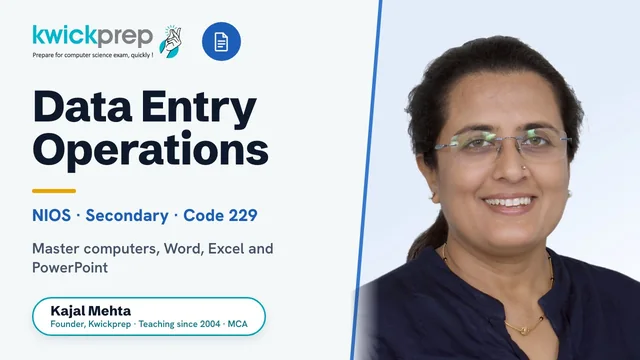
Master computers, Word, Excel and PowerPoint for the NIOS Secondary Data Entry Operations (229) exam.
A practical, exam-focused course aligned to the official NIOS Secondary Data Entry Operations (subject code 229) syllabus. Build real skills across computer basics, operating systems, word processing, spreadsheets and presentations, and prepare for both the theory paper and the hands-on practical exam. Covers all 9 official modules with guided lab practice on standard office software.
What you'll learn
- ✓Identify computer hardware, software, and languages and explain how a computer system works
- ✓Navigate the operating system to manage files, folders, settings, and install software/hardware
- ✓Create, edit, format, and protect documents in a word processor
- ✓Use Mail Merge to generate personalised letters, labels, and mailing lists
- ✓Build spreadsheets and apply formulas, functions, and charts to organise and analyse data
- ✓Format worksheets and protect workbooks for clean, professional output
- ✓Design and deliver slide-based presentations with text, graphics, and transitions
- ✓Perform exam-style practical tasks across word processing, spreadsheet, and presentation tools
Full syllabus
Mapped to the official NIOS curriculum.
011. Basics of Computer+
- Input and output devices
- System software and application software
- Computer languages
- Compiler and assembler
022. Operating System+
- Desktop elements
- Locating files and folders
- Changing system settings
- File management in Windows
- Installation of software and hardware
033. Basics of Word Processing+
- Starting a Word program
- Word screen layout
- Typing and screen objects
- Managing documents
- Protecting and finding documents
044. Formatting Documents+
- Working with text
- Formatting paragraphs
- Creating bulleted and numbered lists
- Spelling and grammar
055. Mail Merge+
- Types of documents in mail merge
- Creating a data source
- Creating mailing labels
- Merging data into the main document
066. Basics of Spreadsheet+
- Selecting, adding and renaming worksheets
- Modifying a worksheet
- Resizing rows and columns
- Workbook protection
077. Formatting Worksheets+
- Formatting toolbar
- Formatting cells
- Formatting columns and rows
- Protect and unprotect worksheets
088. Formulas, Functions and Charts+
- Copying a formula
- Types of functions
- Types of charts
- AutoShapes and SmartArt
099. Creating Presentation+
- Creating a presentation
- Working with slides
- Adding text, graphics and objects
- Slide design, transitions and running a slide show
Tools you'll use
Exam pattern
Total 100 marks. Theory paper of 40 marks (objective-type and short questions). Practical examination of 60 marks conducted over 2 hours, typically split as Operating System (5), Word Processing (20), Spreadsheet (15), Presentation (10), and Viva (10).
Practical / project
A 60-mark, 2-hour practical exam plus viva covering operating-system tasks, document creation/formatting in a word processor, spreadsheet formulas/functions/charts, and a slide presentation. Internal assessment is supported by Tutor Marked Assignments (TMA) and hands-on lab worksheets for each module.
Who it's for
NIOS Secondary (Class 10) learners taking Data Entry Operations (229), and anyone wanting practical office-software skills with a recognised open-schooling certification.
What's included
- ✓Live interactive online classes with Kajal Ma'am, teaching since 2004, in Group batch or One-to-One mode
- ✓Chapter-wise notes covering all 9 official NIOS modules, computer basics, operating system, word processing, spreadsheets, presentations and the internet
- ✓Step-by-step solved walkthroughs for the NIOS textbook and intext/terminal questions
- ✓Guided hands-on practice on word processing, spreadsheet and presentation software via shared screen
- ✓Practical file and lab-experiment guidance aligned to the official NIOS lab manual
- ✓Tutor Marked Assignment (TMA) help and submission guidance
- ✓Regular doubt-solving sessions and personal attention on weak areas
- ✓Theory paper practice plus practical exam and viva preparation
Why study Data Entry Operations (229)?
NIOS Secondary Data Entry Operations (subject code 229) is a high-scoring, skill-based subject where the practical component carries 60 of the 100 marks, so disciplined hands-on practice can lift the overall grade significantly. It builds genuine digital-office competence, operating systems, word processing, spreadsheets and presentations, that students use every day in further study and work. Because it is application-driven rather than theory-heavy, learners who practise the lab experiments and master the office tools tend to score very well. For NIOS open-school students it is also an accessible, employable subject that strengthens the overall result and builds real confidence with computers.
Data Entry Operations builds foundational digital-office and computer-literacy skills that underpin almost every modern role, from clerical and back-office data work to administrative, accounting-support and IT-enabled-service jobs. The spreadsheet, word-processing and file-management fundamentals also form an early base for students who later move toward computer science, data handling or IT diplomas. It is a practical entry point to computer skills without overclaiming any specific job placement.

Learn directly from Kajal Ma'am
An MCA who has taught computer subjects since 2004, Kajal Mehta personally mentors every batch, turning dense theory into clear, exam-ready understanding.
The Kwickprep Method
Computer subjects are not learnt by memorising code. Since 2006, Kajal Ma'am has taught Data Entry Operations (229) with one simple loop that turns logic into marks:
Concept in plain words
Every topic starts from why it exists and what problem it solves, before any code.
Worked through live with you
Kajal Ma'am writes and runs it on a shared screen, so you see it work, not just read it.
Board-pattern practice
You solve the exact question types that repeat in your board's paper, section by section.
Doubts till it clicks
Ask anything, any time in the live class. Nothing moves on until the concept is clear.
Exam & practical drill
Full papers, the practical file, the project and viva, rehearsed until you walk in confident.
Where this takes you
This is not just a subject to clear, it is a skill that carries forward:
- →Fast, accurate typing & data management skills every office needs.
- →Spreadsheets & word processing the daily tools of admin and back-office work.
- →Digital record-keeping how modern offices run.
It leads to computer-operator, data-entry and office-administration jobs, backed by a recognised NIOS qualification. We teach for the board first, and for the thinking that lasts after it.
What students say
“I have enrolled in the Kwick Revision course, which is designed for 10 days. They have covered all the topics in meticulous time. The teaching method was good. Study materials and course content were up to the mark. Educators resolved doubts within the committed time only.”
“Thank you so much ma'am for believing in me and teaching me so well that i developed interest in computer science. i'll always be grateful for the help you've done. i'll surely miss our classes. Take care of your health ma'am. Once again Thanks a lot ma'am.”
“The course's greatest benefit for me was the profound comprehension of the core principles it fostered, which has been pivotal in enhancing my academic foundation.”
Read all 36 verified student & parent reviews (4.9/5) or see the board results.
Course FAQs
Are the NIOS Data Entry Operations (229) classes online or in person?+
Who can join this course?+
Do you offer Group batches and One-to-One classes, and how do fees differ?+
Is the course aligned to the official NIOS 229 syllabus?+
Will you help with the practical exam, viva and practical file?+
Can I get a demo before enrolling?+
What students & parents say
4.9/5 from 36 verified student & parent reviews. Below are three, unedited.
My experience with Kwickprep was good. They guided me well for the Boards. That's why I would recommend Computer Science Aspirants to join Kwickprep, as their teaching and study material is the best among all others. Kwickprep is the best choice for classes 11 and 12.
My experience with Kwickprep has been incredibly rewarding. The course quality, teaching style, and study materials were all excellent. What I found most valuable were the in-depth notes and the extensive collection of question papers available on the website at all times. The notes were clear, concise, and easy to understand, while the question papers gave me the freedom to practice at my own pace and build confidence. The one-on-one classes were especially helpful, allowing me to learn at my own speed and clear all my doubts on the spot. Ma'am explained every concept with great clarity using easy-to-follow PowerPoints, and the additional resources in the app, including year-wise papers, helped me gain a solid understanding of every topic I studied. It was completely worth it, and I'm really grateful for the learning experience I've had with Kwickprep.
Shubhranshu enjoyed the classes with Kajal Mam as she taught really well. She kept him engaged even in online classes. He joined the classes just few months before exams and still managed to score well as Kajal Mam taught him strategically and continuously. Hats off to her hard work and perseverance.
Book a free demo for Data Entry Operations (229)
See a real class before you decide. No pressure, no payment.
Book Free Demo on WhatsApp